
The six figures of the asset base
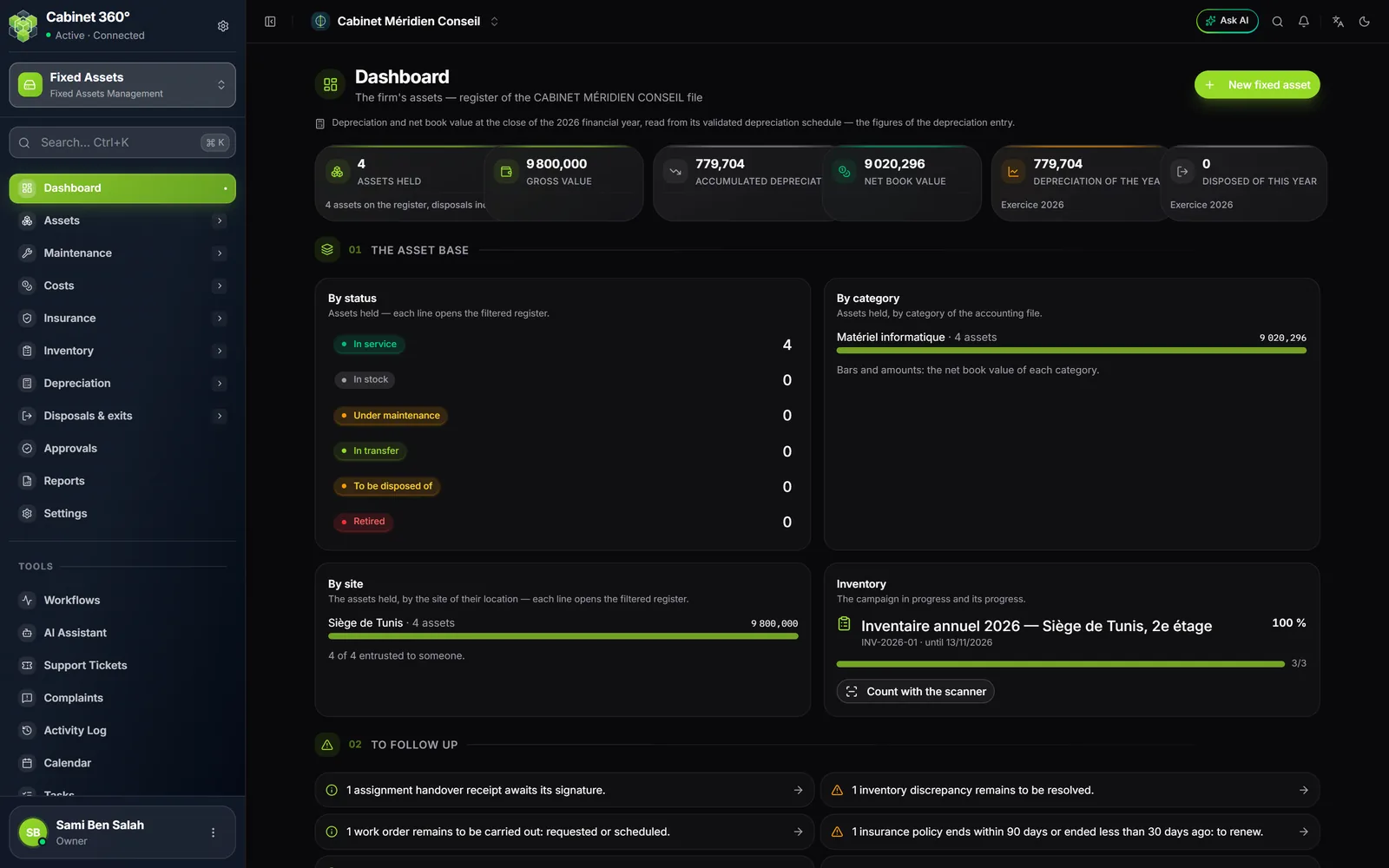
The top of the page carries six cards:
| Card | What it counts |
|---|---|
| Assets held | The assets still at the firm; the line below recalls the total on the register, disposals included. |
| Gross value | What the assets held cost when they came in. |
| Accumulated depreciation | How much value they have lost since their acquisition. |
| Net book value | Gross value minus depreciation: the NBV. |
| Depreciation of the year | The depreciation of the current financial year. |
| Disposed of this year | The assets sold, scrapped, stolen or lost during the year. |
Where the depreciation comes from
The module does not compute depreciation itself: it reads it in the current financial year of the firm's accounting file (the one that contains today's date, failing that the last one ended, failing that the first one to come). A note under the figures always says where they come from:
- the year's depreciation table is validated or posted: its figures are authoritative. They are those of the depreciation entry.
- it is not validated yet: the figures are computed on the fly by the IntegraSys engine, the very one that will generate the table.
- the file has no financial year: depreciation and NBV show « — ». Never zero: a zero would suggest a brand-new asset base.
The five sections
| Section | What it shows |
|---|---|
| The asset base | Assets by status, by site and by category (in NBV), and the current inventory campaign with its Count with the scanner button. Each line opens the filtered register. |
| To follow up | The points to settle (below). With nothing to settle: « Nothing to report ». |
| Maintenance and insurance | Open work orders by status, open claims, contracts and policies to renew, insured and uninsured assets, maintenance costs over the last twelve months. |
| Value and disposals | The revaluation surplus and the impairment provision, the operations in progress, the year's exits and their result. |
| Acquisitions and depreciation | Acquisitions over the last eight years, depreciation year by year, and the latest acquisitions. |
The points to follow up
Each point says what is missing, and a click opens the filtered list that settles it. The main ones:
| The point says… | The click opens… |
|---|---|
| The file has no category | The settings |
| The file has no financial year | The financial years, in the file's accounting |
| Fixed assets of the file have no record yet | The register, filtered on « To complete » |
| A gross value no longer matches the acquisition details | The register of assets held |
| Assets in service with no in-service date, taken-over assets with no source document | The filtered register |
| The depreciation table is to be generated, validated or posted; disposals are waiting for their entry | The Depreciation charges page |
| No location created, assets with no location | Locations, or the « No location » register |
| Transfers to validate or in transit, handover receipts to sign | Transfers, Assignments |
| Inventory discrepancies to resolve | Inventory discrepancies |
| Disposed assets still entrusted to someone | The register of disposed assets still assigned |
| Assets in the hands of an agent who has left | Assignments, filtered on the assets to return |
| Assets no inventory has seen for the set delay (24 months by default) | The filtered register |
| Work orders overdue or to carry out, open claims | Work orders, Claims |
| Maintenance contracts or policies to renew, uninsured assets | Maintenance contracts, Insurance policies, Coverage |
| Approvals to decide, sale contracts to sign | Approvals, Sale contracts |
| Revaluations, impairments or offers to submit, retirements in progress | The list of each operation |