
The portal's Human resources menu
On the portal, the Human resources section repeats the HR file menu, without the payroll itself: no payroll months, no payslips to compute. The client finds there Dashboard, Employees, Group insurance, Training, Evaluation, Processing, HR reports, Leave planner, Social report, Print templates and Simulators. The HR service must be active for the client, and the firm must have the module.
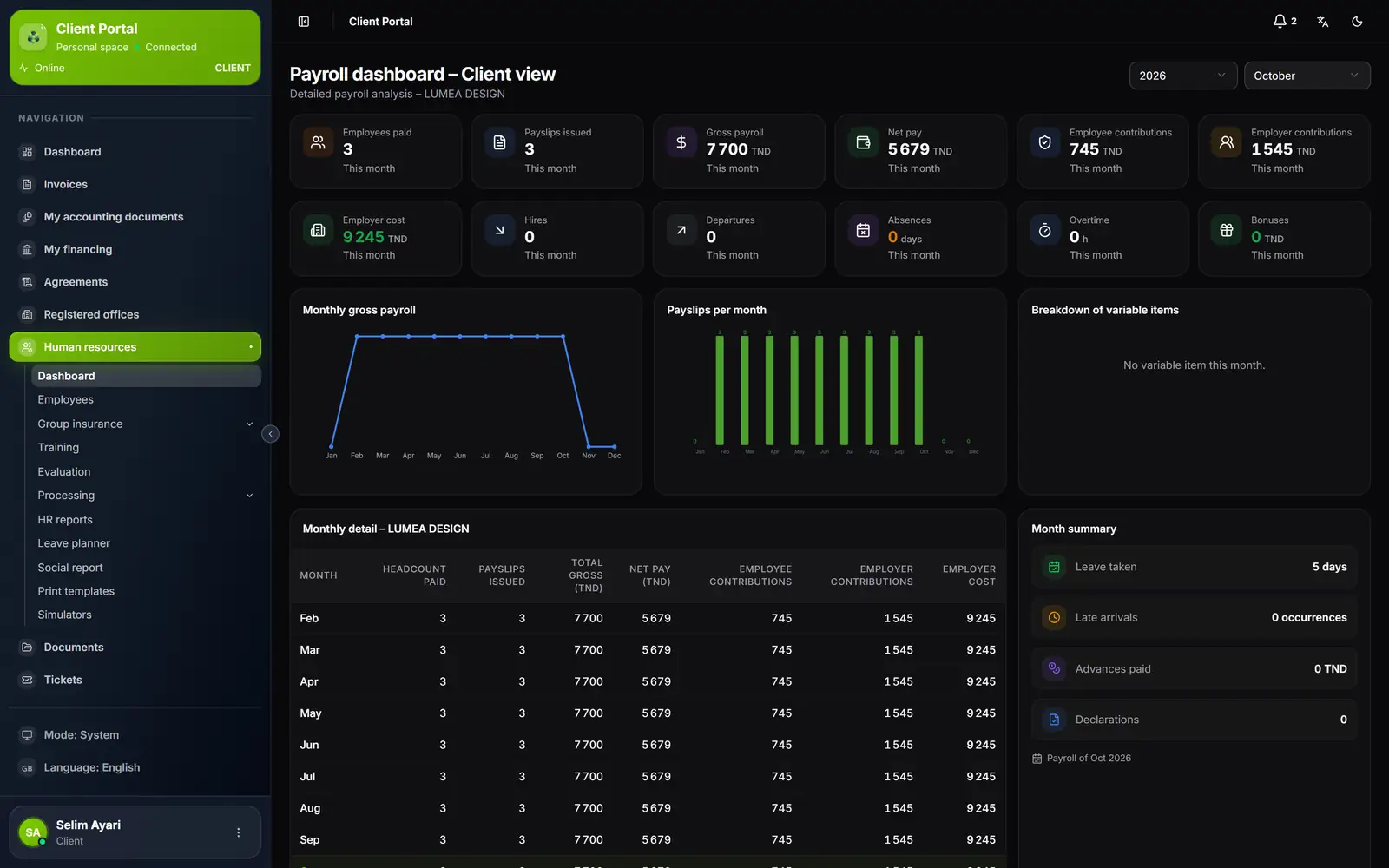
- 1. The month's figures: employees paid, payslips issued, payroll, net pay, charges.
- 2. The year's trend: payroll and payslips, month by month.
- 3. The monthly detail: headcount, gross, net, charges and employer cost of each month.
- 4. The month's summary: leave taken, late arrivals, advances, declarations.
- 5. The Human resources menu of the portal.
What the client enters, and who decides
| What the client enters | What happens |
|---|---|
| Employees: new employee, edit, Excel import | The firm's employee record, with the same mandatory fields and supporting documents; the employee is created at once, their contract numbered from the firm's numbering series |
| Absences, Bonuses, Overtime, Salary deductions, Sanctions | Arrive Pending: the firm approves or refuses |
| Leave | A request; the client can turn it into a leave permit itself |
| Salary advances | Entered directly, approved: they go into the payroll, within the limit of the month's net |
| Loans | The loan contract, already granted, entered directly |
| Mission order | Issued directly, with the same calculation as at the firm |
| Promotions, Training, Evaluation (filling in the grids), Group insurance (enrolments, claim forms) | Saved directly in the HR file |
With each entry, the HR file team (supervisor and team members, failing that the firm's administrators) receives an alert in the bell, in the human resources category: "Bonus to approve — …", "Advance entered — …". The link opens the entry's page in the HR file's workspace.
Absences, advances and overtime also have a batch entry on the portal (Batch entry for absences, Multiple entry for advances and overtime).
Leave: request and permit
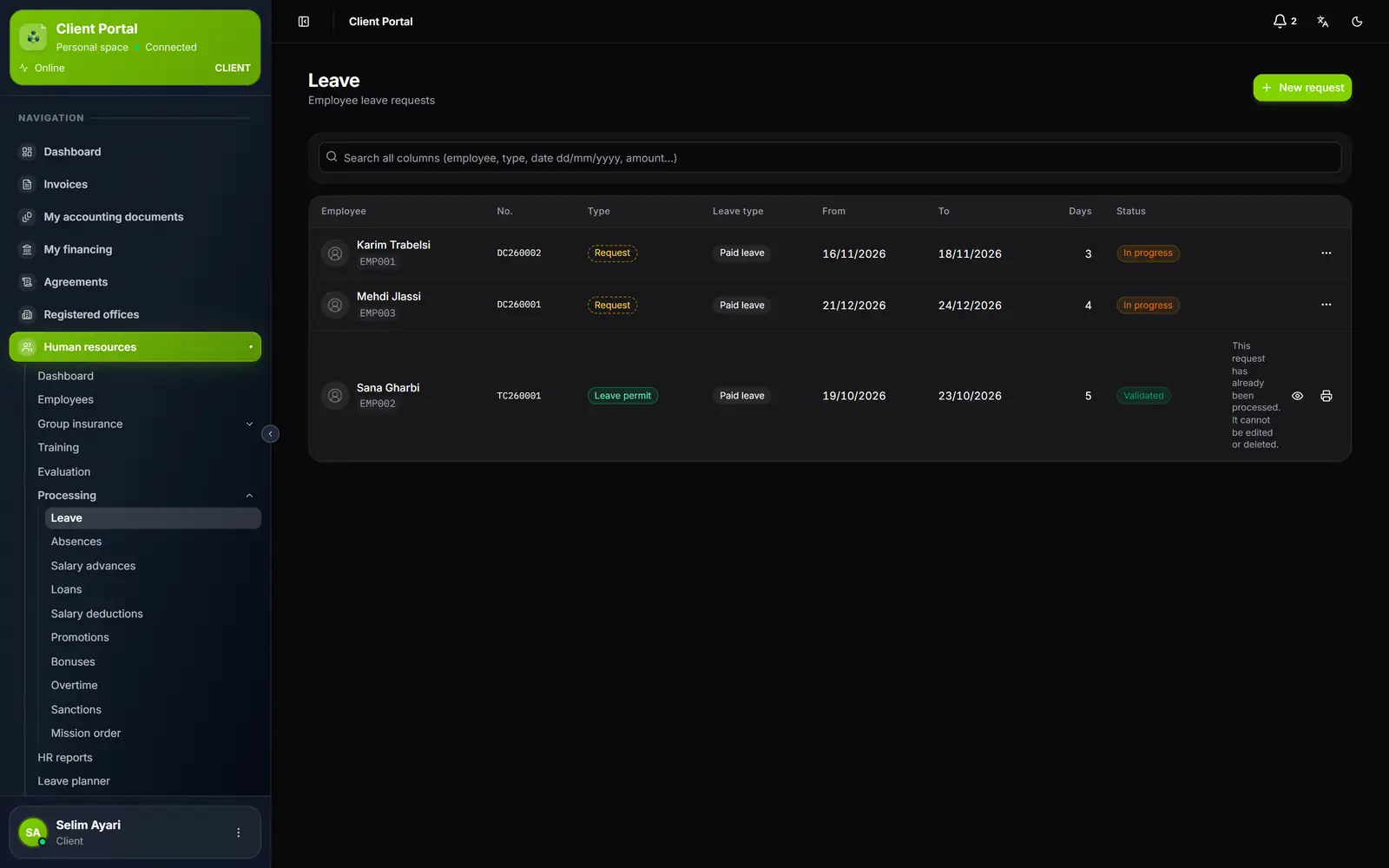
- 1. New request: a leave request for an employee.
- 2. The type: a Request (DC number) or a Leave permit (TC number).
- 3. The status: In progress for a request, Validated for a leave permit.
- 4. The ⋯ menu: Turn into a leave permit, Print.
- 5. Processing: the month's entries, one page each.
The request stays In progress and can be edited until it is turned into a leave permit. Turn into a leave permit validates it: the client is the employer. The firm is notified, and the leave becomes Approved on its side. A paid leave that exceeds the balance asks the question "Negative leave balance". The Leave planner shows requests and permits, without counting anything twice.
As long as the firm has generated no payslip for the HR file, the Enter leave balances button lets the client record its employees' opening balances; the firm is notified. The button disappears at the first closing.
What it prints
- HR reports: payslips, payroll register, employer contributions, salaries by payment method, transfer order (on the account chosen by the firm), leave statement, the month's HR bundle, the Processing reports. Printing only.
- Print templates: attendance and salary certificates, employment contract, withholding certificate, on the firm's templates, which the client does not change.
- Loan contract and Loan statement, from the Loans page; the mission order and the sanction notice, from their row.
- Simulators: the payroll simulator at the rates of its HR file, and the life insurance / CEA simulator.
All HR documents are issued in its company's name. The files of its employees' personnel folders are in Documents, on its portal.