
The firm's HR dashboard
The HR dashboard sums up the payroll activity of all your clients, for a year and, if you choose, a month: active payroll clients, clients processed, payslips issued, employees paid, gross payroll and total net pay. Below come the consolidated indicators (employee and employer charges, tax withheld, total employer cost, average gross and net), the monthly trend of payslips and of payroll, the breakdown of clients by size, and the Summary by client, which the Client filter narrows. Export downloads an Excel workbook of the payslips, without taking the filters into account.
The HR file's dashboard
Dashboard, the first entry of the HR file menu, gives the client's payroll for the chosen year and month: employees paid, payslips issued, gross payroll, net pay, employee and employer charges, employer cost, hires and leavers, absences, overtime and bonuses of the month, then the trend over the year and the monthly detail. Your client sees the same dashboard on its portal (see What your client does on its portal).
Training
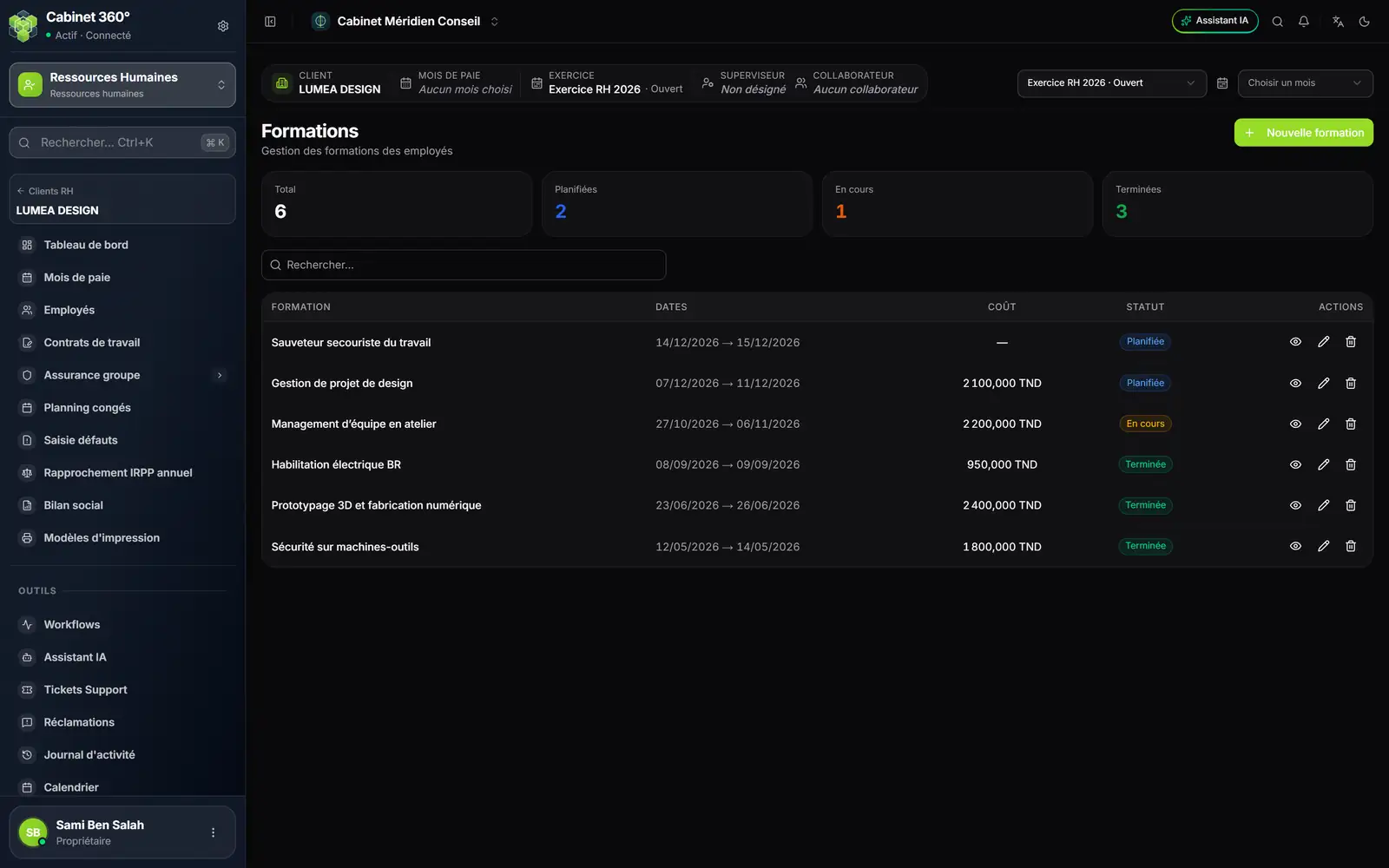
- 1. New training: one or more people trained in one go.
- 2. The counters: total, planned, in progress, completed.
- 3. Search a training.
- 4. The cost of each training, in dinars.
- 5. The status of the training action.
- 6. View, Edit, Delete.
A training carries its title, its type, the provider, the trainers, the location, the dates, the cost, the status and a description. Once the training is saved, you attach its documents (4 MB at most per upload). Training feeds the training rate of the social report.
Evaluation campaigns
The page has three tabs: Dashboard, Campaigns and Grids.
Grids are the questionnaires: axes (objectives, skills, performance, potential…), each one weighted, and their criteria, scored on a scale (insufficient, needs improvement, satisfactory, good, excellent). Standard grids offers ready-to-use grids; New grid creates one. The eye shows the grid as the evaluator will see it.
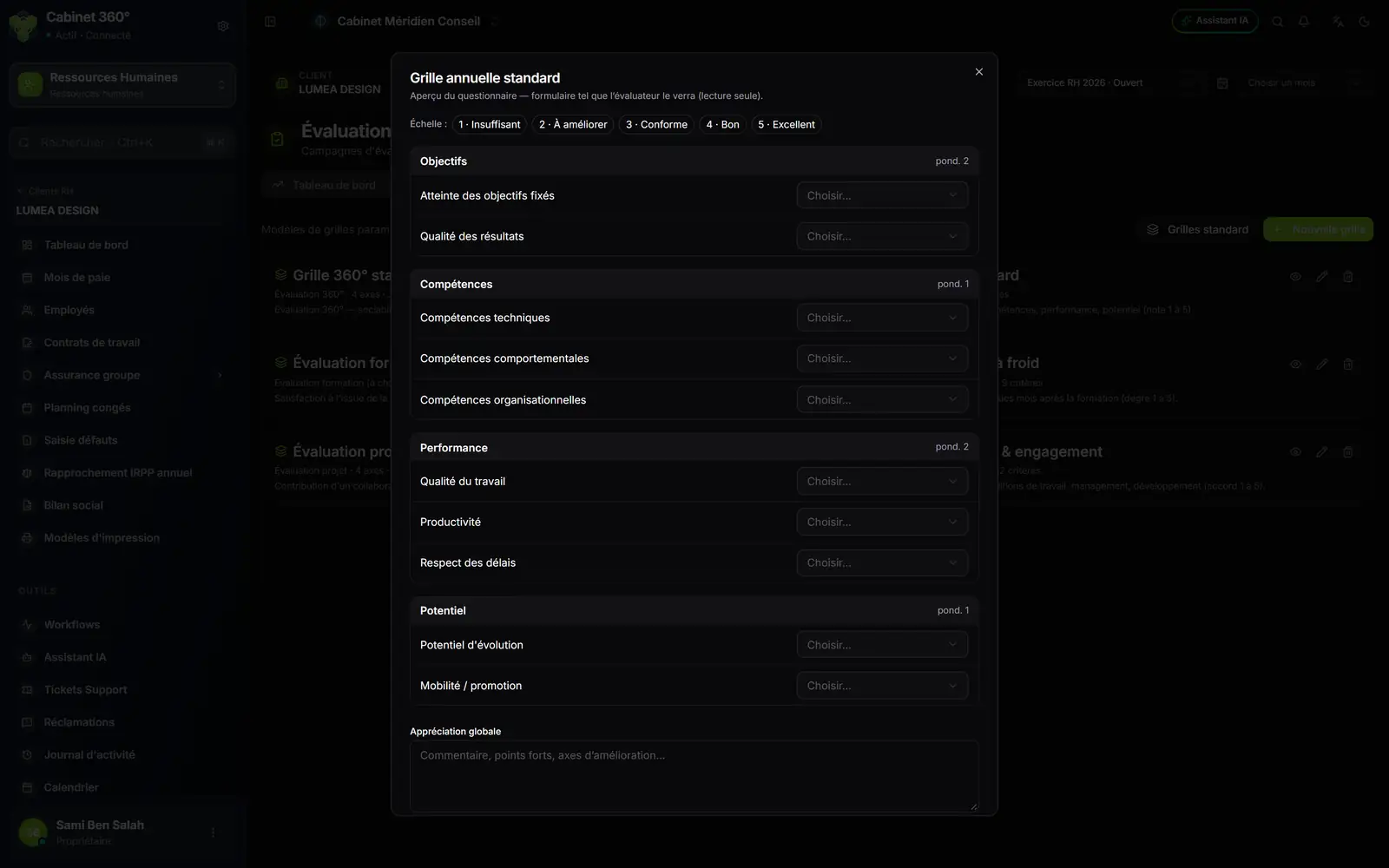
- 1. The rating scale, from 1 to 5.
- 2. An axis, with its weighting.
- 3. Each criterion is scored from its list.
- 4. The overall assessment: comments, strengths, areas for improvement.
A campaign evaluates a group of employees over a period: its label, its type (annual evaluation, 360°, project evaluation, training evaluation immediate or follow-up, questionnaire), its dates and its grid. Assign employees chooses who is evaluated and, for each one, the evaluator and their role (self-assessment, manager, colleague, trainer, HR…).
The evaluator fills in the grid from a link, with no IntegraSys account. Assigning sends nothing: Send reminder emails the link (the first time too) to the evaluators whose evaluation is not finished. Your client can also fill in the grids from its portal. Scores are computed with the weightings; each sheet and the whole campaign print as PDF (PDF report).
The social report
The Social report is the client's view of the year: headcount, turnover, absenteeism, evaluation and training rates, gross payroll, social and tax charges, then the monthly trend of salaries and charges, the headcount by department and the action plan. Filter by Year, Department and Contract.
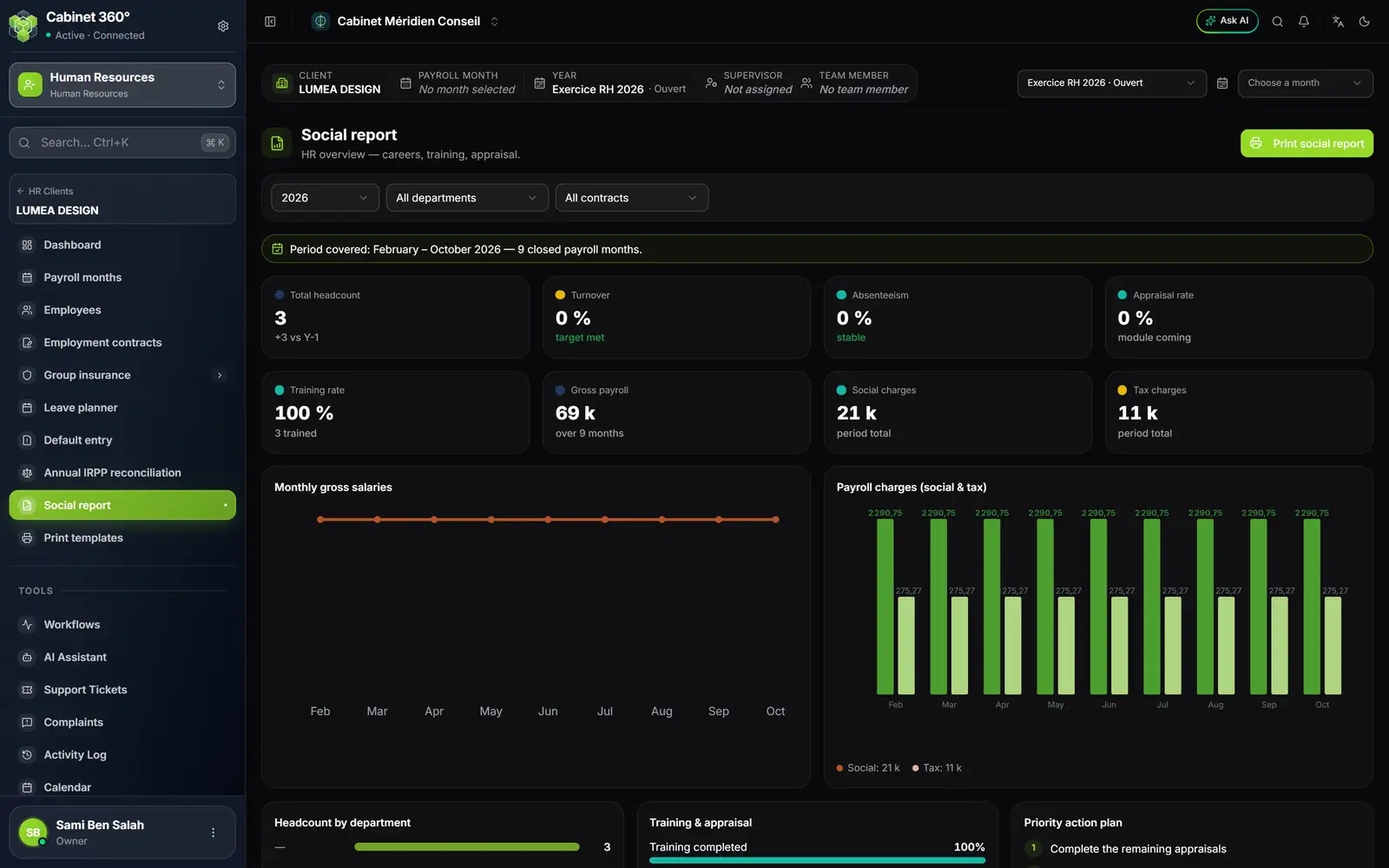
- 1. The period covered: the closed payroll months, in a row, from the payroll year's first month.
- 2. The indicators of the period.
- 3. The monthly trend of gross salaries.
- 4. The charges, social and tax, month by month.
- 5. Print social report: the report, with the period on the cover page and in the footer.