
Three reference lists
Under Structure, three screens hold the building blocks of your firm's meetings:
| Screen | What it holds | Where it is used |
|---|---|---|
| Agendas | the items a meeting examines, each with its code | the agenda of the notice and of the minutes |
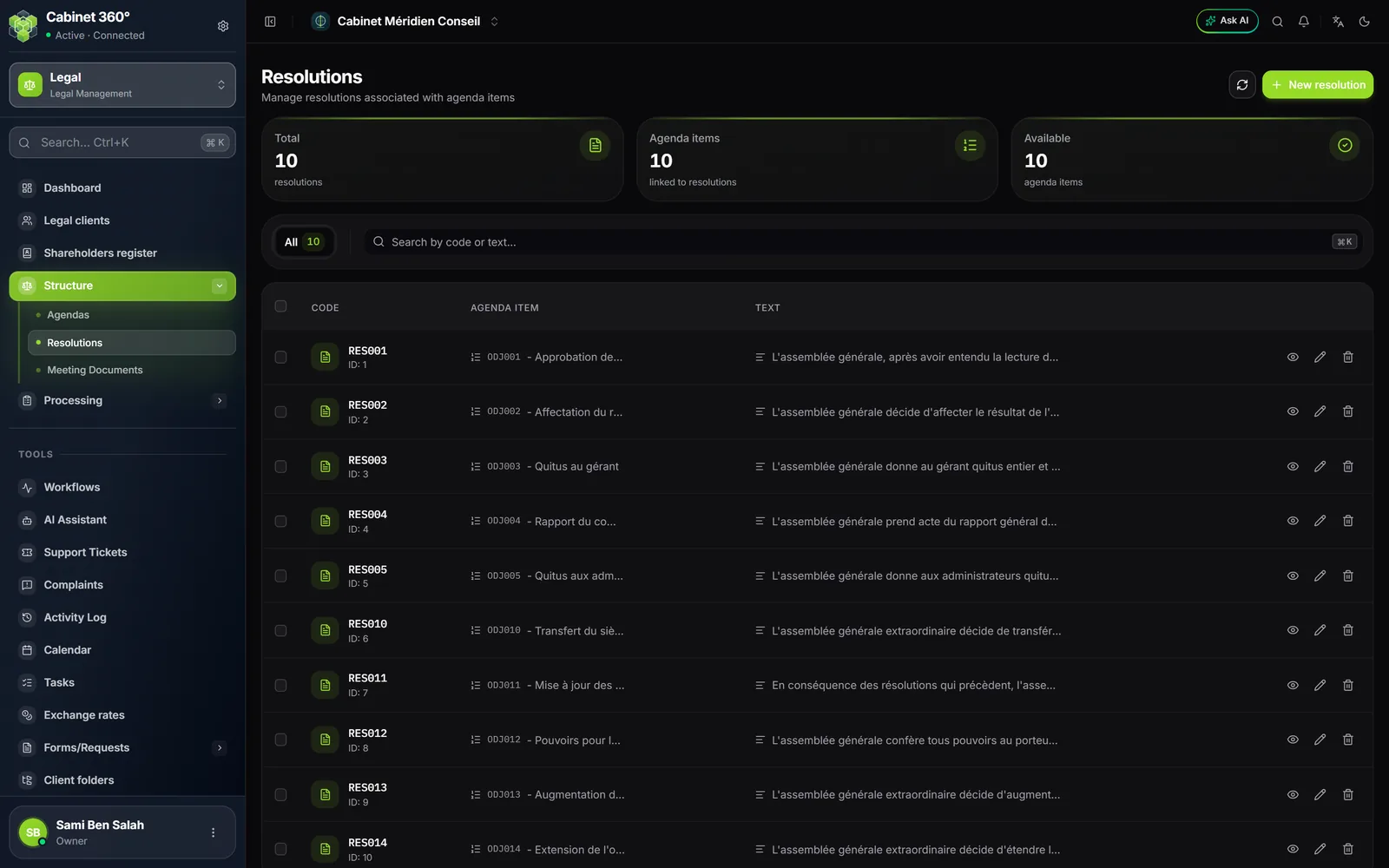
| Resolutions | standard decisions, each attached to an agenda item | the resolutions of the minutes, proposed automatically |
| Meeting Documents | the papers made available to the shareholders or presented to the meeting | the documents of the notice and of the minutes |
Each row has a code you choose: the pick lists of notices and minutes show the code and the title. The three screens look alike: a band of figures, a search by code and title (by code and text for resolutions), the whole list with its total, and a create button.
| Screen | Button | Fields |
|---|---|---|
| Agendas | New agenda | Code, Title |
| Resolutions | New resolution | Code, Agenda item (the one the resolution belongs to), Resolution text |
| PV Documents | New PV document | Code, Title |
Checkboxes on the rows let you delete several at once, after confirmation.
Who writes them
These three lists belong to your firm. Every member reads them: notices and minutes pick their items there. Only the firm's owner and administrators create, edit or delete a row. For other members, the create button, editing and deleting are greyed out, with the reason on hover: "Reserved for the firm's owner and administrators."
How documents use them
- The notice picks its agenda items and its documents from these lists, and puts them in the desired order (chapter 11).
- The minutes take over the items of their notice. On creation, when you add an agenda item, the resolutions attached to it are added automatically (when editing, add them yourself); you then set their result and their votes (chapter 12).
- The printed minutes write each resolution in words, "PREMIÈRE RÉSOLUTION" (first resolution), with its vote.
- The event timeline tells minutes by their agenda items, in one sentence.