
What the module does
Every firm invoices its clients and pays its suppliers. Operations keeps both sides in one place.
- Sell: your clients, your catalogue of articles, then quotes, pre-invoices, invoices and credit notes.
- Buy: your suppliers, then purchase orders, goods receipts, purchase invoices and supplier credit notes.
- Advance costs: disbursements, the sums paid on a client's behalf and re-invoiced at the same amount.
- Follow up: a dashboard, alerts on expected supplier invoices, and printed reports.
Each document takes its number from its numbering series. Sales documents come out as PDF, in the layout your firm has chosen.
Opening the Operations space
IntegraSys groups its modules into spaces. You move from one to another with the selector at the top of the left sidebar.
- Click the space selector, at the top left.
- Choose Operations, subtitled “Commercial Management”.
- The Operations Dashboard opens, and the left sidebar shows the module's groups.
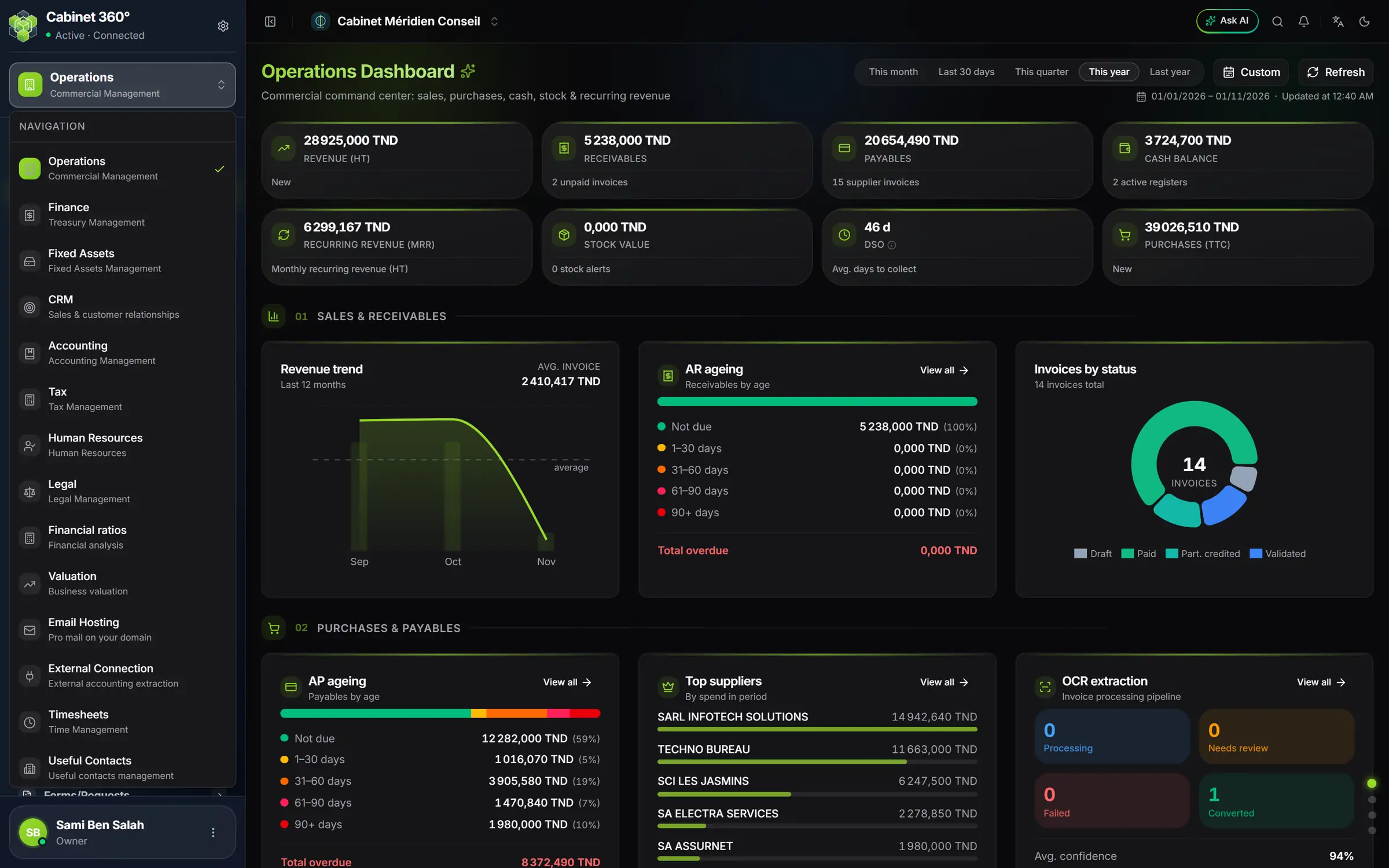
- 1. The space selector: it shows the space you are in. One click opens the list.
- 2. Operations: the tick marks the open space.
- 3. The dashboard of the module, open behind the list.
- 4. The indicators: revenue, receivables, payables…
The module's sidebar
The left sidebar always follows the same order. This book follows it too.
| Group | What you find there | Chapter |
|---|---|---|
| Dashboard | The activity figures, for the chosen period | 3 |
| Structure | Clients, Prospects, Families, Suppliers, Account Managers, Articles, Expense types, Convention Objects | 4, 5, 6 |
| Sales Documents | Quotes, Pre-invoices, Invoices, Credit Notes | 7 to 11 |
| Purchase Documents | Purchase Orders, Receipts, Purchase Invoices, Credit Notes | 12 |
| Contracts | Contract generation, Alerts | 13 |
| Conventions, Domiciliations | Your clients' recurring service contracts | book Conventions & Domiciliations |
| Disbursements | The costs advanced for a client | 14 |
| Operations reports | The module's printed statistics | 15 |
The two document chains
One document prepares the next. You retype nothing: each step takes over the previous one.
On the sales side, the chain goes from the quoted price to the correction:
- the quote gives a price;
- the pre-invoice prepares the invoice, often created from a convention or a disbursement;
- the invoice is the official document, numbered when it is validated;
- the credit note gives back to the client all or part of an invoice.
On the purchase side, the chain follows the goods:
- the purchase order says what you order;
- the goods receipt says what arrived;
- the purchase invoice records what the supplier bills you;
- the purchase credit note records what the supplier gives back.
Each document goes through statuses. It starts as a Draft: you correct it freely (only the disbursement starts out validated, then pre-invoiced, in a single step). Once validated, it can no longer be edited: you correct it with the next document in the chain.
What is in other books
Operations creates the invoices. Other modules collect them, pay them or post them to the accounts.
- Collecting an invoice, paying a supplier, keeping the cash register: book Finance & Cash Register.
- Conventions and domiciliations: book Conventions & Domiciliations. Their pre-invoices then arrive in Sales Documents › Pre-invoices (chapter 8).
- Numbering series, PDF templates, team and rights: book Firm setup. Chapter 2 gives the essentials.