
What the module does
For a client, you open an engagement: what you value, at what date, for what transaction and by which method. The method opens its working file, a series of sections to go through in menu order, from the starting data to the value.
Each section is reviewed: it moves from « Brouillon » (Draft) to « Validé » (Validated). The file is checked, then locked in a version that nothing can change any more. It is printed as a valuation report, A4 pages with the client's logo.
Finally, the Valuation summary brings together the values of the engagement's files and sets the value the firm retains, with its justification.
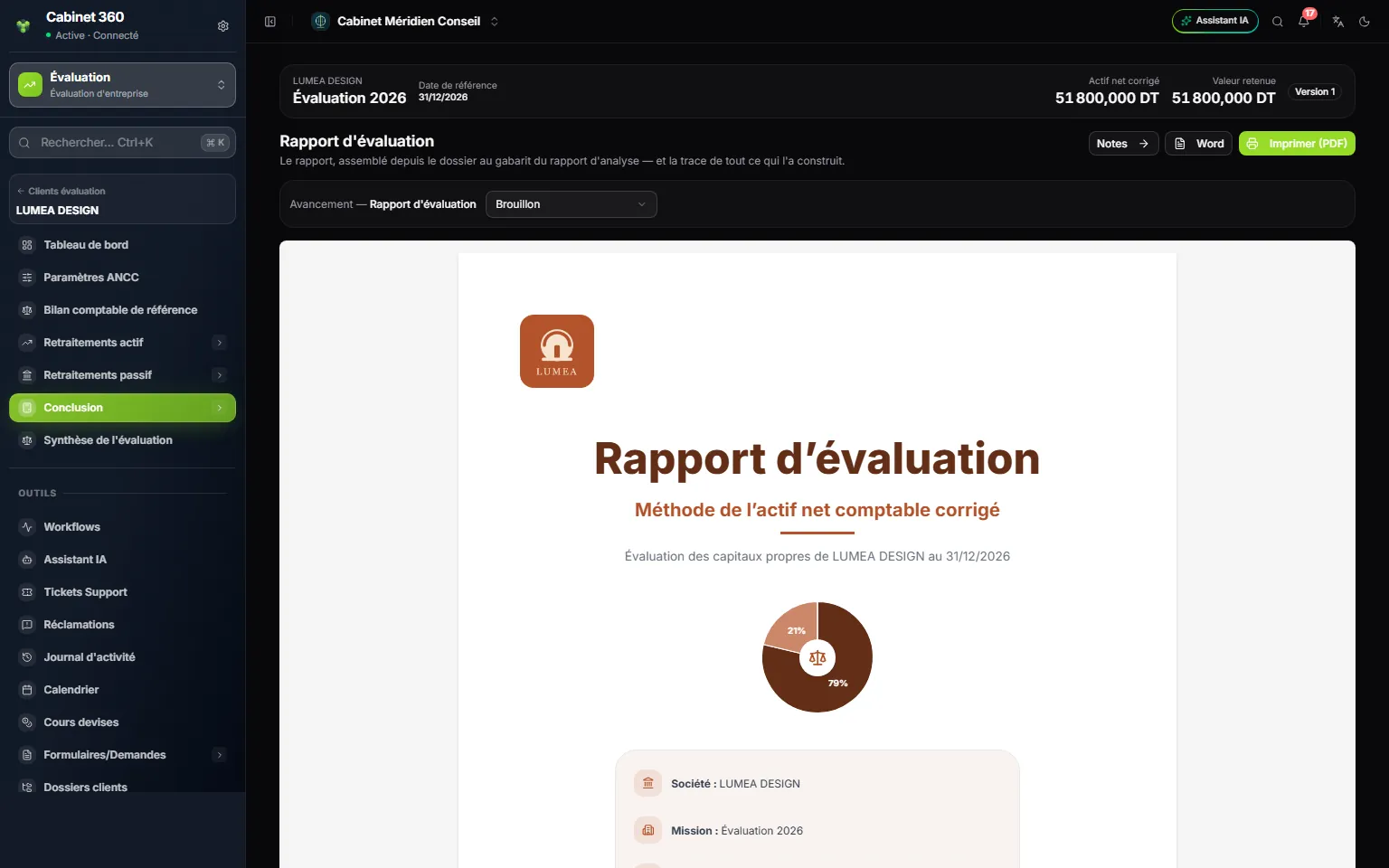
- 1. What you hand over: the report is printed as a PDF or exported to Word.
- 2. Cover page with the method's name, the client and the reference date.
- 3. With the client's logo: its colours give the report's colours.
The three methods
| Method | What it measures | Its file | What it gives |
|---|---|---|---|
| ANCC — Actif Net Comptable Corrigé (adjusted net book value) | What the company's assets are worth minus its debts, item by item, at their real value | 21 sections | The adjusted net assets, then the retained value after premiums and discounts |
| DCF — Discounted Cash Flows | What the future cash flows will bring in, brought back to the valuation date | 30 sections | The value of the equity (Equity Value) in the base case |
| Multiples | What the market pays for comparable companies | 23 sections | The value of the equity, a weighted average of the multiples retained |
An engagement carries one method at a time, and each file belongs to its engagement. The engagement's summary brings together the files opened on that engagement. Chapter 3 shows how to open a second file on the same engagement.
What you need before the first engagement
The subscription
The Valuation workspace comes with the Business Plan module. Without it, the workspace does not appear in the workspace selector.
The rights
The firm's owner, administrators and managers have all rights. A member without a custom role views, creates and edits, without deleting. For a member who holds a custom role, that role decides, in Rights per screen (Roles tab):
| Action ticked | What it allows |
|---|---|
| View | Open the dashboard, the engagements, the files and the summary; print the reports |
| Create | Create an engagement, add lines, save and import statements, move a section forward, post a comment, upload a document, lock a file, conclude the summary |
| Edit | Correct an engagement, settings or a line already saved; set the weights and the texts of the summary |
| Delete | Delete an engagement or a line; clear a box in the data grids of the multiples |
The client
The client is created in Operations, never in the valuation module: its record carries its tax ID and its services. For it to appear in Valuation clients, switch on Valuation in the Services & start of service card of its record. An inactive client appears in no module list.
Also upload the client's logo to its record: it makes the report's cover page, and its colours make those of the pages. Without a logo, the report uses IntegraSys green.
The team
The Engagement manager is chosen on each engagement, among the firm's users. Together with the firm's management (owner, administrator, manager), only they can:
- move a section to « Validé » (Validated);
- lock a file and reopen it;
- conclude the summary and reopen it.
A team member does not validate their own work. On an engagement with no engagement manager, only the management validates.
The module's words
| Word | What it means |
|---|---|
| Engagement | A valuation job, on a client, at a reference date, by one method |
| Reference date | The date at which the company is valued |
| Working file | The method's sections, opened under the engagement |
| Section | An entry of the file's menu, with its own review |
| Avancement (Progress) | The review status of a section: Brouillon (Draft), En cours (In progress), À revoir (To review), Corrections demandées (Corrections requested), Révisé (Reviewed), Validé (Validated) |
| Commentaire de revue (Review comment) | A remark posted on a section: Ouvert (Open), Résolu (Resolved), Réouvert (Reopened) |
| Contrôles (Checks) | What must be true to sign: the bloquants (blocking) points prevent locking, the avertissements (warnings) are for reading |
| Verrouillage (Locking) | Freezes the file in a version: figures, lines and notes |
| Journal (Log) | The trail of every change to the file, read-only |
| Enterprise Value | The value of the whole business, before its financial debts |
| Net debt | Financial debts minus cash |
| Equity Value | The value of the equity, that of the shares |
| Valuation summary | The page that brings the methods together and concludes the engagement |
| Valuation report | The A4 document of each file, as a PDF or in Word |