
The valuation report
Each file has its own: Conclusion › Valuation report in the ANCC, Completion › Valuation report in the DCF and the multiples. The valuation summary leads there too, through one Rapport … (Report …) button per opened file.
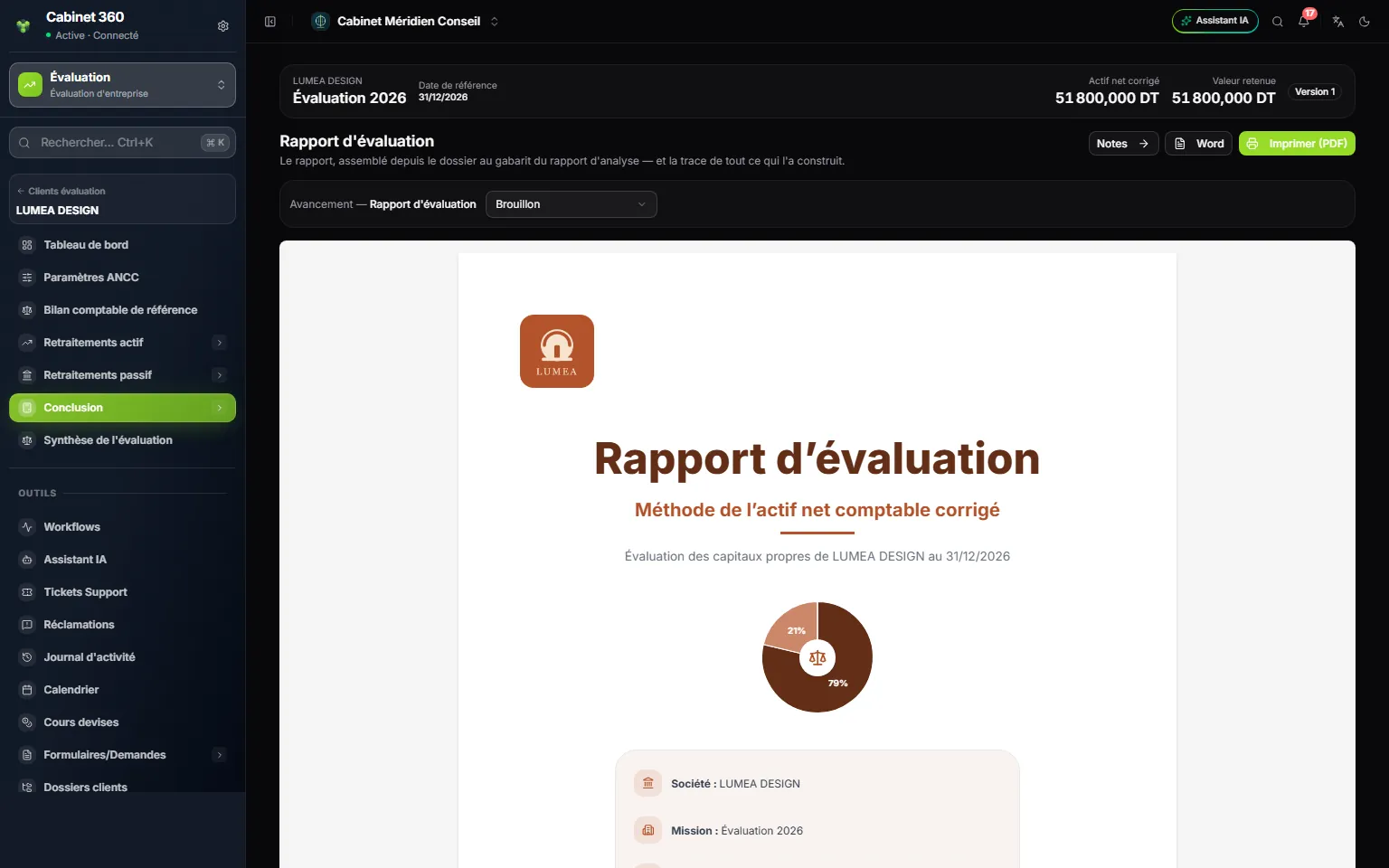
- 1. Notes leads to the report notes.
- 2. Word downloads the report as a .doc file.
- 3. Imprimer (PDF) (Print, PDF) opens the browser's print window.
- 4. The cover page, with the client's logo and colours.
What it is made of
The report recomputes nothing: it reads the file again. Its A4 pages are numbered « n/total »; amounts are written to the millime, « 1 234 567,890 »; the date of issue is today's date.
| Page | ANCC | DCF | Multiples |
|---|---|---|---|
| Cover | « Méthode de l'actif net comptable corrigé » (Adjusted net asset method) | « Méthode des flux de trésorerie actualisés (DCF) » (Discounted cash flow method) | « Méthode des multiples » (Multiples method) |
| « Sommaire et méthodologie » (Contents and methodology) | Purpose, sources, four-step method, scope of the work | Purpose, sources, five-step method, FCFF at the WACC | Purpose, sources, five-step method, sample |
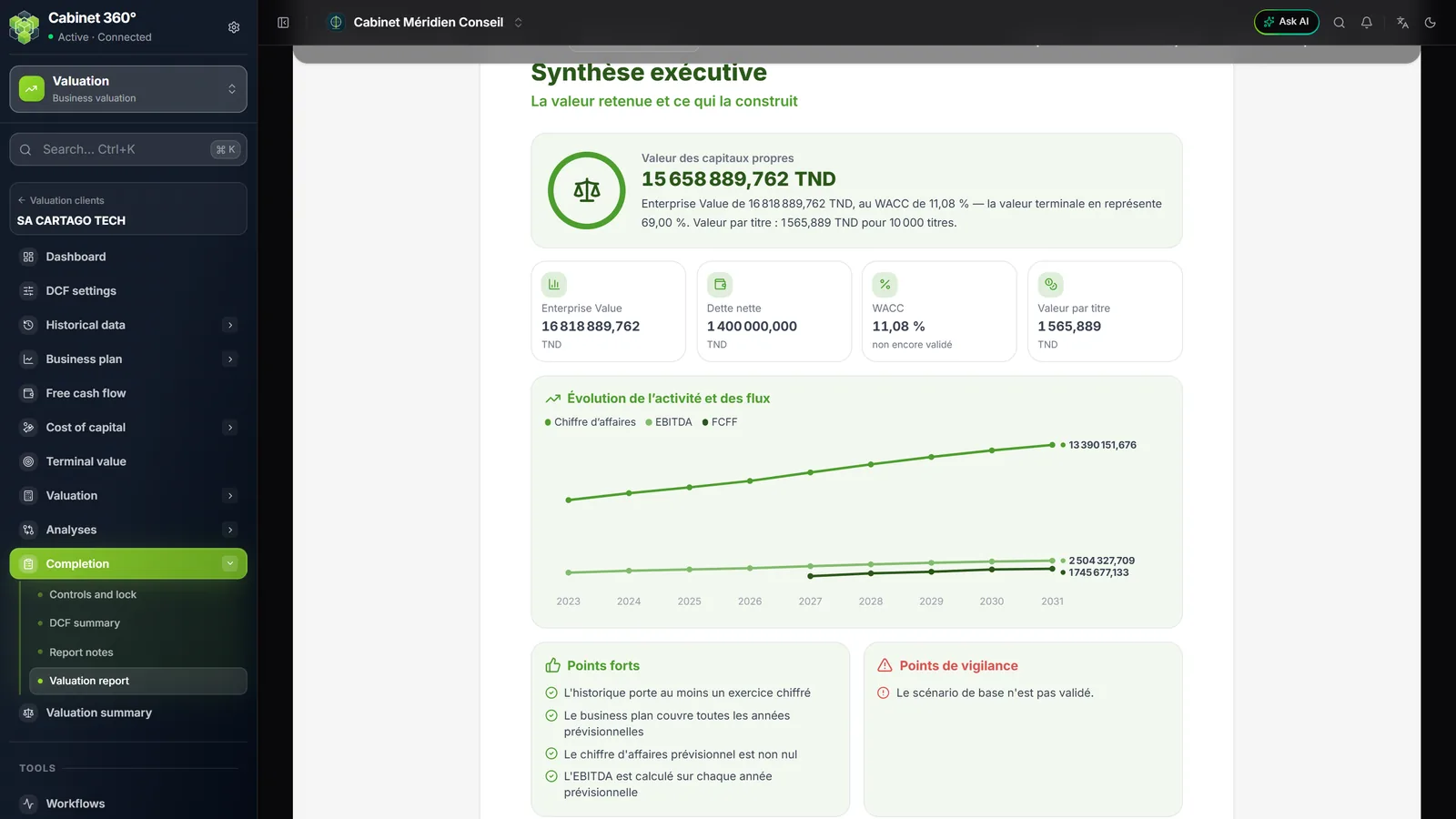
| « Synthèse exécutive » (Executive summary) | Retained value, bridge from the book value to the retained value | Equity value, activity and cash flows | Value per selected multiple, weighted value |
| « Détail du calcul » (Calculation in detail) | From the book balance sheet to the adjusted net assets; deferred tax, off-balance-sheet items and adjustments | Settings and cost of capital; cash flows and discounting; from the Enterprise Value to the equity | Aggregates and sample; applying the multiples; moving to the equity |
| « Conclusion et hypothèses retenues » (Conclusion and assumptions retained) | Conclusion, assumptions, reservations, scope, « Validation » line to sign | Same | Same |
| « Annexes » (Appendices) | Notes, checks, financial statements of the last saved fiscal year (assets, liabilities, income statement; non-zero lines) | Historical analysis, assumptions register, notes, checks | Notes, checks |
The cover page names the company, the engagement, the reference date, the context and Préparé par (Prepared by): the engagement manager, otherwise the firm's name.
What shapes it
| Setting | Where | Effect on the report |
|---|---|---|
| Client's logo | The client's record, in Operations | Cover page and colours of the pages; without a logo, the IntegraSys green |
| Engagement manager | The engagement window | « Préparé par » and the signature block |
| Hypothèses générales (General assumptions) | The file's settings | « Hypothèses retenues » (Assumptions retained), in their order |
| Retained notes | Report notes | « Notes du rapport » (Report notes) appendix, in their order |
| Checks | The file's checks | « Points forts » (Strengths), « Points de vigilance » (Points of vigilance), « Réserves et limites » (Reservations and limits), appendix of the checks |
| Conclusion de l'analyse historique (Conclusion of the historical analysis; DCF) | Historical analysis | « Lecture générale » (General reading) in the executive summary |
| The bar's scenario (DCF) | The file bar | The report prints the chosen scenario |
Printing or exporting
- Imprimer (PDF) opens the browser's print window on the report alone. Choose your printer, or the PDF destination to save the file.
- Word downloads
rapport-evaluation-ancc.doc,rapport-evaluation-dcf.docorrapport-evaluation-multiples.doc, to take up in Word.
Both buttons stay greyed out while the report is loading. If the report cannot be shown, the message gives the cause and the code of the server's response.
The ANCC's financial statements entered
The PDF
On the Reference balance sheet page, Exporter PDF (Export PDF) downloads etats-financiers-YYYY.pdf: the same document as the financial-statements generation of the Accounting module.
- At the top: « ÉTATS FINANCIERS » (FINANCIAL STATEMENTS), the client and the fiscal year, the template, the mention « États saisis au dossier d'évaluation … — enregistrés le … » (Statements entered in the valuation file … — saved on …), the currency.
- One page per statement: Bilan — Actifs (Balance sheet — Assets), Bilan — Capitaux propres et passifs (Balance sheet — Equity and liabilities), État de résultat (Income statement), État de flux de trésorerie (Cash flow statement), with the columns of the fiscal year and of the previous fiscal year.
- Under the liabilities: « Bilan équilibré » (Balance sheet balanced), « ATTENTION : bilan déséquilibré » (WARNING: balance sheet unbalanced) with the difference, or « Équilibre du bilan non vérifié » (Balance not checked) with its reason.
- A line never entered prints empty, not « 0,000 ».
The PDF reads the saved statements: the button is greyed out on a fiscal year that is not saved or while an entry is in progress. A locked file can be exported.
The Excel template
Modèle Excel (Excel template) downloads etats-financiers-YYYY.xlsx: one sheet per statement (Actifs, Assets, Capitaux propres et passifs, Equity and liabilities, État de résultat, Income statement, État des flux, Cash flows), the columns Code, Rubrique (Item), Nature (Type), Montant (Amount), pre-filled with the saved amounts. The items and the computed lines are protected; only the white cells of the Montant column can be filled in. It can be downloaded even on a locked file.
What is not printed
- The valuation summary has no document of its own: its value is read on screen, and each method's report is signed separately.
- The Journal du dossier (File log), shown below the report, stays on screen.
- Review comments, supporting documents and frozen versions.
- In the multiples: the comparability grid, the fact sheets, the detailed statistics and the sensitivity matrices.