
The filings grid
The page follows the yearly filings with the RNE, by client and by fiscal year. It prepares two forms: the Shareholders list (RNE C 012) and the Modification declaration (RNE F 005).
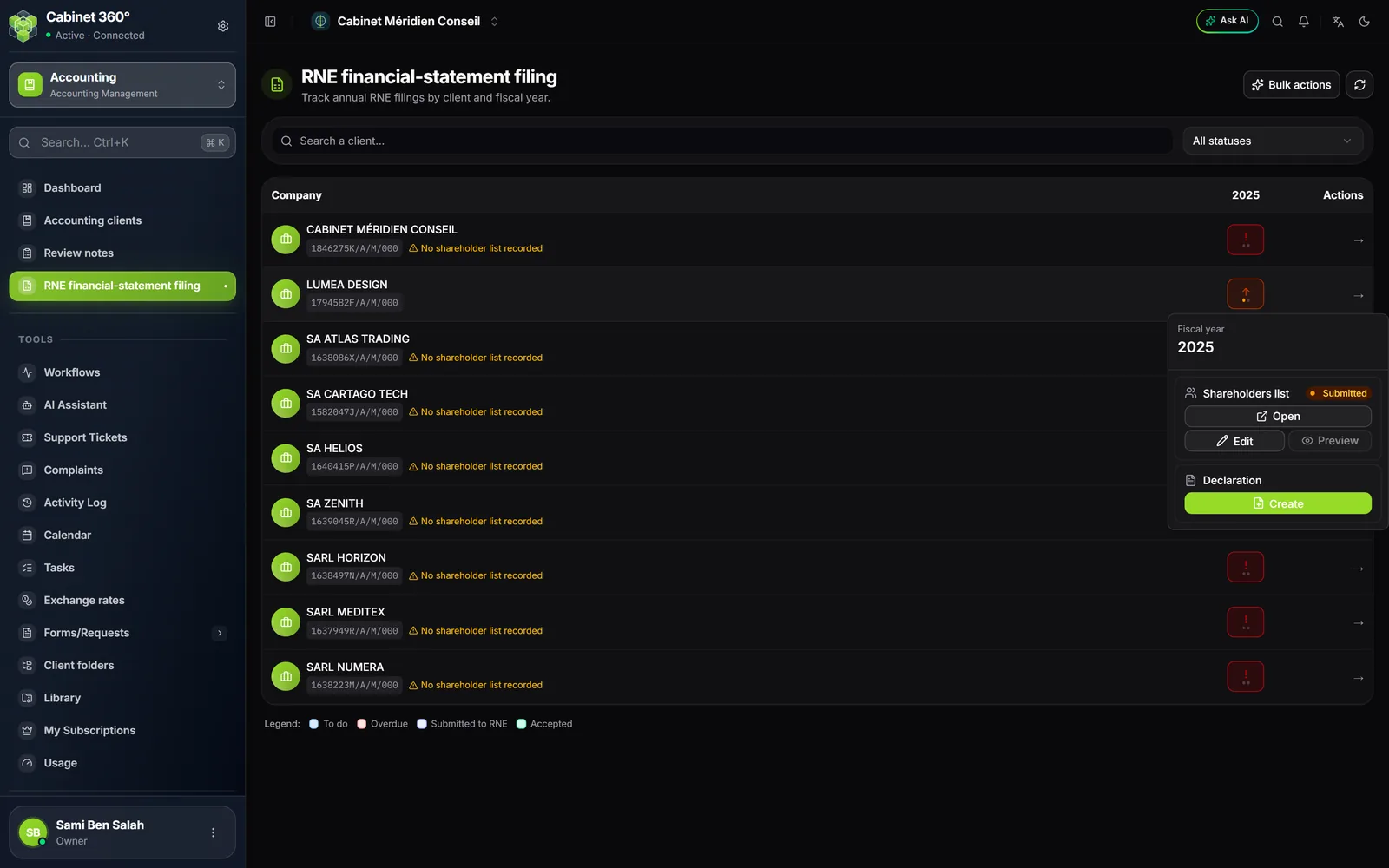
- One row per client, one column per year. The years before the file's Onboarding date are N/A — before onboarding.
- Each cell gives its status: To do, Overdue, Submitted to RNE, Submitted (late) or Accepted. Two dots show the shareholders list and the declaration.
- Search a client… and the status filter sort the grid; Reset clears them.
- Bulk actions › Generate PDFs downloads in one go the PDFs of the validated filings, of the drafts, or of all those of one year.
A cell's menu offers, for each form, Create or Open, then Edit (the status and the receipt) and Preview (the attached receipt).
Preparing a filing
- In the grid, the cell's menu › Create opens New filing, already filled in for that file, that year and that form. Choose the Declarant; the other fields fill in from the client's record.
- If the changes ticked require the shareholders list as an annex, the page says so; Automatically create the Shareholders list at the same time is ticked by default.
- Click Create. The filing's page opens: its number (DEP00001…), its status, its deadline, the PDF preview and the history of its steps.
- Check, click Validate, then Download PDF or Send by email.
- Once the filing is made at the RNE, click Submit to RNE, then Upload receipt. The RNE answers: Mark accepted, or Mark rejected with the reason.
| Status | What follows |
|---|---|
| Draft | Validate |
| Validated | Submit to RNE, or Return to draft |
| Submitted | Mark accepted or Mark rejected |
| Rejected | Return to draft, correct, start again |
| Accepted | End: the filing is closed |
The Declarant is chosen among the firm's active agents; their ID number is masked, except for the owner and the administrators, and taken from their record when printing. A declarant with no signature on file gives a PDF without a signature, and the screen says so.
Who submits, and the deadline
Moving a filing from Validated to Submitted requires the right “Dépôts EF - Soumettre au RNE” (FS filings, submit to RNE). The button shows for everyone; without this right, the refusal names the right to ask for.
The deadline falls seven months after closing: 31/07/N+1 for a closing on 31/12. The filing's page shows it: “Due in N days”, “Urgent — N days remaining” (30 days or less), “Overdue by N days” or “Filed”. A notification goes out 60, 30 and 7 days before, then on the day itself, to each member who sees the file: its team, the owner, the administrators and the agents who see every file. Nothing more goes out once a filing of the year is accepted.