
What the page shows
My financing shows the loans, leases and other bank financing that your firm keeps in the client's accounting file, active or closed. The entry only appears if your subscription includes Accounting, the Bookkeeping service is ticked on the client file and their accounting file is open.
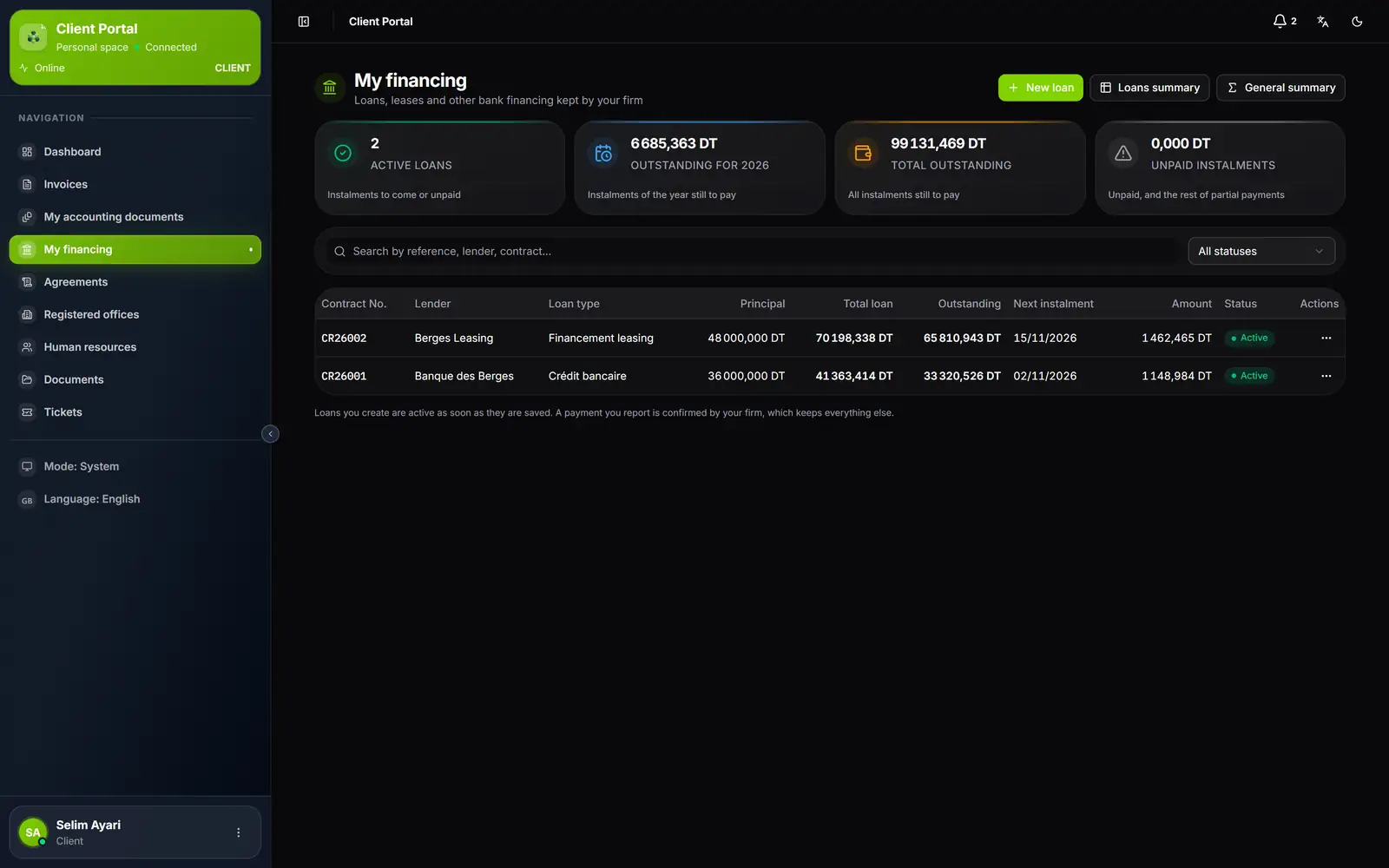
- 1. New loan, Credits recap and General summary.
- 2. Four counters: active credits, outstanding for the year, total outstanding, unpaid instalments.
- 3. Search by reference, lender or contract, and a status filter.
- 4. One loan per row: principal, total, outstanding, next instalment and its amount.
- 5. Actions: the detail, the instalment tracking, the printed statement.
| Counter | What it gives |
|---|---|
| Active credits | Loans with instalments still to come or unpaid |
| Outstanding for the year (for example 2026) | What remains to pay on the instalments of the financial year |
| Total outstanding | What remains to pay on every instalment |
| Unpaid instalments | Unpaid instalments and what is left of partial payments |
A loan in detail
A click on a row opens the Loan details:
- the Identification card: lender, type, purpose, contract number, bank, branch, RIB, length, frequency, rate, number of instalments, first and last instalment;
- the Schedule: for each instalment, its date, principal, interest and fees, total incl. tax, what is paid (the column stays hidden while nothing is), its remaining amount and its status. A cost column that is always zero is hidden.
Each instalment carries the status your firm recorded: In progress, Paid, Unpaid or Partial payment. Print statement downloads the loan's statement.
Reporting a payment
The client has paid an instalment? They report it to you, and you confirm it.
- In the loan's detail, on an unpaid instalment of an active loan, the client clicks Report a payment.
- They enter the Payment date (not in the future) and the Amount paid: the amount due is suggested, and it cannot be exceeded.
- If they have one, they attach the Supporting document: PDF, PNG, JPG or WEBP, 4 MB at most.
- They click Report: « Payment reported ».
The instalment then reads « Payment reported — awaiting confirmation ». Its status only changes when your firm confirms the payment: the portal never changes on its own the schedule you keep.
Creating a loan
New loan opens your firm's loan form. The client chooses the lender and the bank from their file, enters the amounts and the schedule (by hand, generated or imported), then saves. The loan is active as soon as it is saved, and its schedule must repay the whole amount: otherwise it is refused, with the reason.
The summaries
| Button | What it gives | Outputs |
|---|---|---|
| Credits recap | The Lease payment schedule by year, contract by contract, then the Credits recap by year | Print, Excel |
| General summary | The General summary of lease payments by year, quarter and month, one column per lender; filters Year, Bank, RIB, Organization | Print, Excel |
Each row's Actions menu also opens the detail, its Instalment tracking, or prints the loan's statement.