
Two lists, read the same way
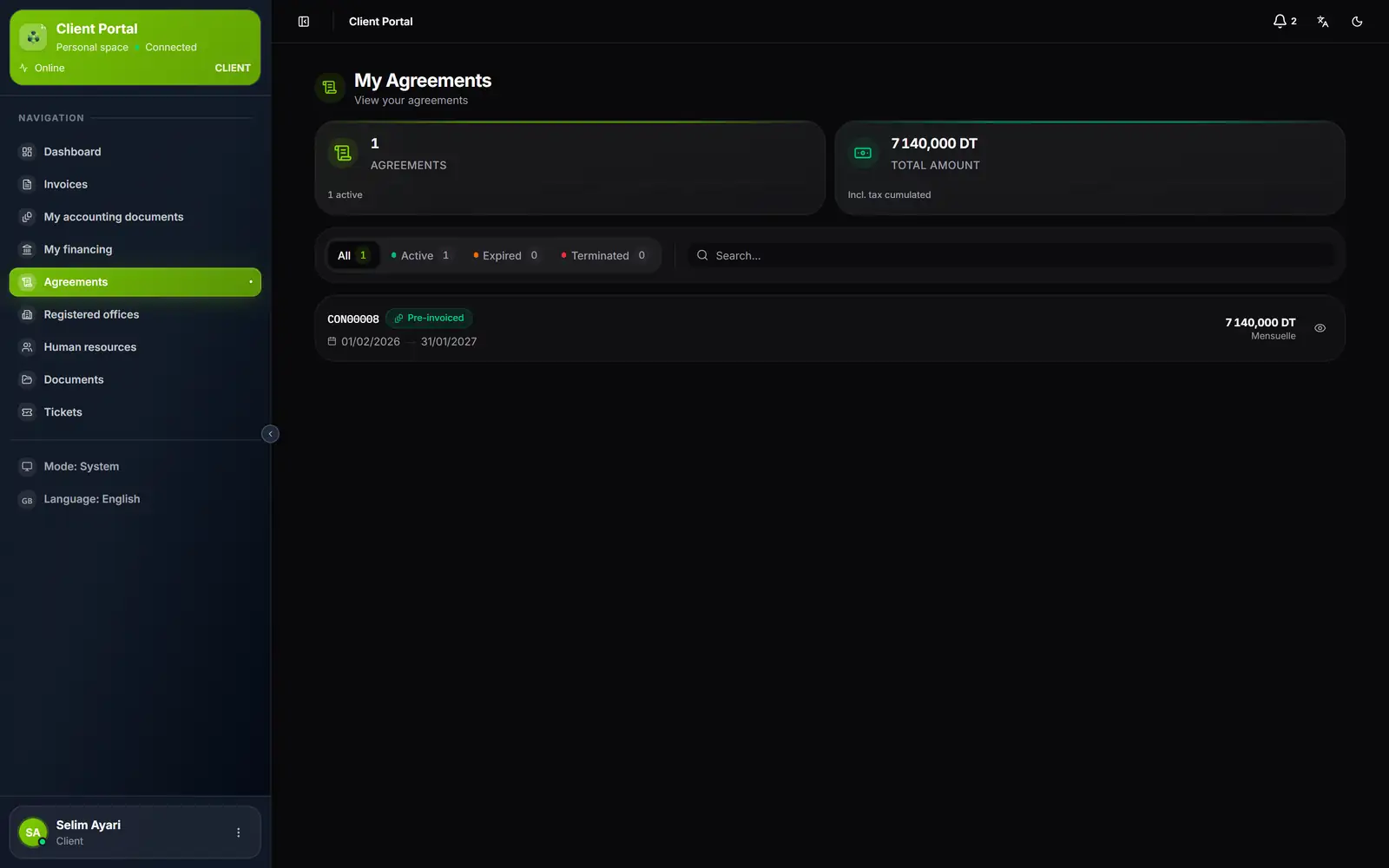
- 1. Agreements: how many, and how many are active.
- 2. Total amount: the cumulative amount incl. tax.
- 3. The filters: All, Active, Expired, Terminated, with their counts.
- 4. One agreement per row: number, status, start and end dates.
- 5. Amount and frequency; the eye opens the detail.
The My Agreements and My Domiciliations pages read the same way: two counters, four filters, one row per contract. The search finds a contract by its number.
| Filter | What it gathers |
|---|---|
| All | All the client's contracts, archived ones included |
| Active | Contracts in progress, Pre-invoiced included |
| Expired | Contracts that have reached their end date |
| Terminated | Terminated or cancelled contracts |
An agreement in detail
A click on a row opens the agreement: its number and status, then four cards, Start date, End date, Amount excl. tax and Amount incl. tax. The Details block gives its frequency and, if it has one, its Annual increase as a percentage.
Registered offices
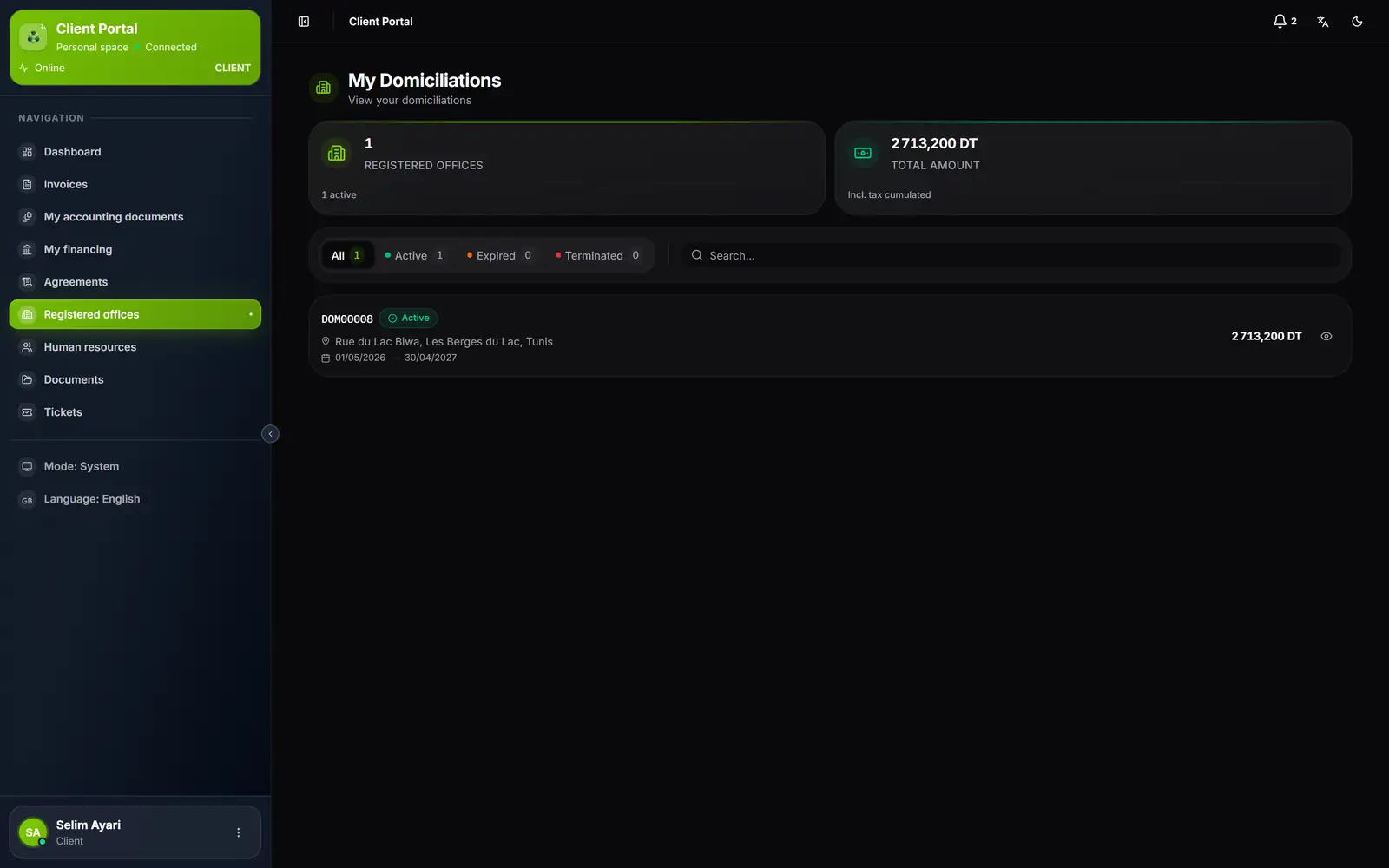
- 1. The same filters as for agreements.
- 2. The registered office address, then the period.
- 3. The amount incl. tax; the eye opens the detail.
The detail of a registered office contract gives its Address, its Period (from start to end, or « In progress », and its length in months), its Amount incl. tax with the amount excl. tax and the VAT, its frequency, and the list of Included services.
What the client does not do here
The client reads their contracts; they do not sign, renew or terminate them from the portal. A question about a contract, a request for a change: a ticket (chapter 9). Invoices born from an agreement or a registered office contract arrive in Invoices as soon as you issue them (chapter 5).