
The files concerned
| File | Return | Button |
|---|---|---|
| FAC_qq_yy.txt | List of the quarter's suspended sales | Generate .txt |
| BCD_qq_yy.txt | List of the quarter's suspended purchases | Generate .txt |
| DECEMP_yy | Summary of the employer return | DGI files › Summary (DECEMP) |
| ANXEMP_1_yy_1 | Annex I of the employer return | DGI files › Annex I (ANXEMP_1) |
| F6001-(tax ID)-(fiscal year).xml, and so on | One statement of the tax bundle: the one of the open tab, except the notes | Generate F6001.xml on the assets balance sheet, Generate F6002.xml on the liabilities balance sheet… |
In the file names, qq is the quarter and yy the year in two digits: FAC_03_26.txt holds the sales of the third quarter of 2026. The two employer files have no extension, as the specification requires.
Reading the report
- Open the return and click its file button.
- If everything conforms, the file downloads, with a message: « .txt file generated. » for a suspension list, « DECEMP file generated. » or « ANXEMP_1 file generated. » for the employer.
- Otherwise, « File not generated: 8 field(s) to correct — see the check report. » shows, and the report opens above the form.
- Read each line: the place, the field, the value read between quotation marks, then the reason.
- Click a field's name: the cursor goes to the field, or to the annex's tab. Correct it: the report follows what you type, and the corrected field leaves it.
- When nothing blocks any more, the report says so, and a button generates the file.
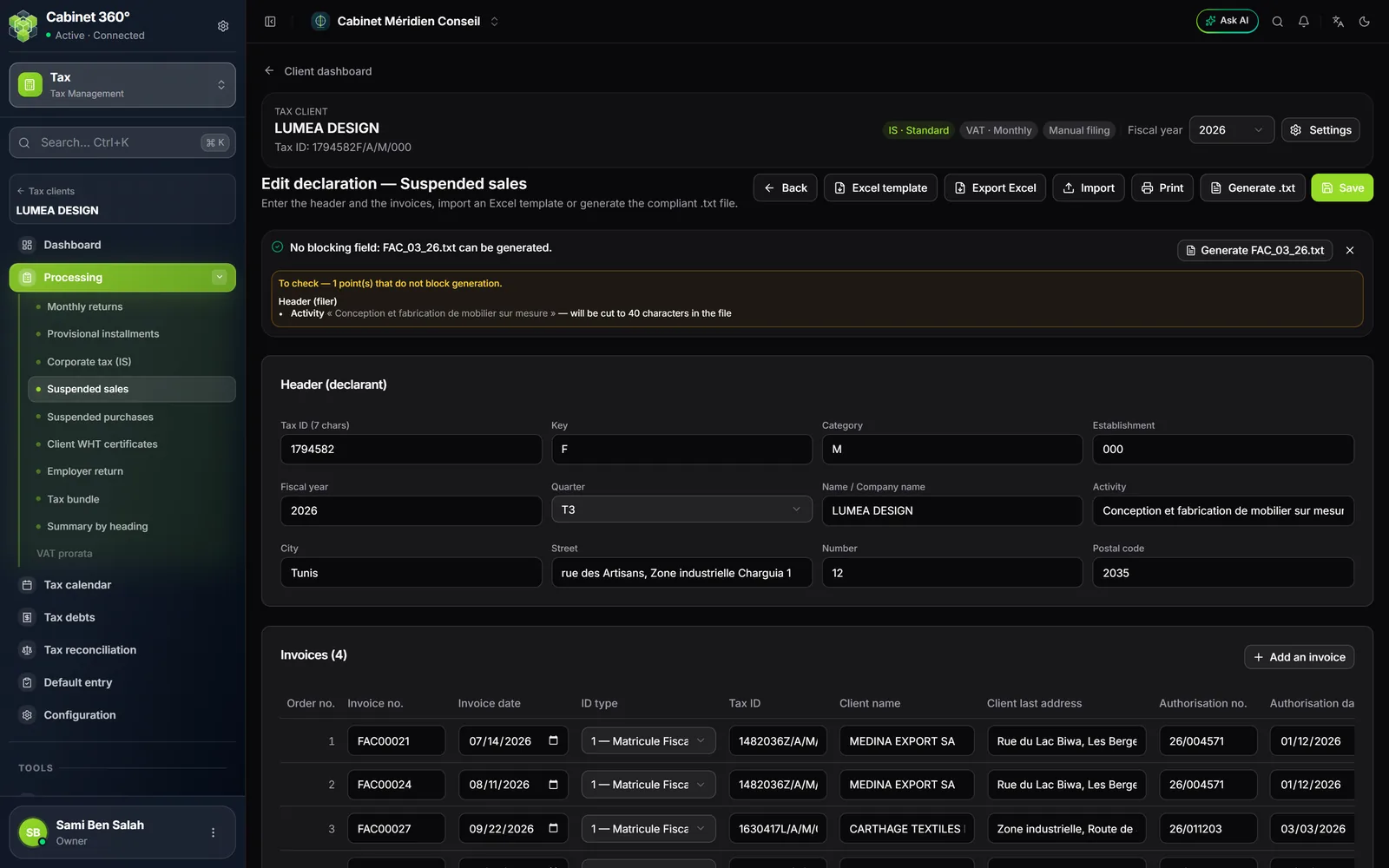
The file button is never greyed out because of a wrong field: greyed out, it would not say why. You click, and the report answers.
The « To check » points block nothing: the file is produced, and the report stays open to show them. The report shows at most thirty points per list, followed by « … and N more not shown. ». Once everything is corrected, the report looks like this:

- 1. No blocking field: the file can be generated.
- 2. Generate FAC_03_26.txt: the file goes out in one click.
- 3. A point to check: the activity will be cut to 40 characters.
What the check requires
| Part | Requirements |
|---|---|
| Declarant's header (sales, purchases) | Seven-digit tax ID, the check letter that matches it (the report gives the right one), category (M, P, C, N or E), company name, activity, city, street and four-digit postcode; the street number and the establishment are optional. These fields are corrected on the page itself. |
| Clients and suppliers | Full thirteen-character tax ID, such as 1234567RAM000; eight-digit identity card. |
| Sales | At least one invoice; invoice date within the quarter; authorisation (number and date); price excluding tax above zero; rates between 0 and 100. |
| Purchases | Purchase order number in digits only, suspended VAT filled in. |
| Employer | For DECEMP: tax ID, key, category, establishment, fiscal year, and every annex line corrected. For ANXEMP_1: the full header (activity included), at least one employee and the annex I lines corrected. The header is corrected on the client record. |
| Tax bundle | Tax ID and check letter from the client record, fiscal year, Filing nature, Type, and a statement that holds at least one value. |
Accents, Arabic letters, lengths
- The .txt files are written without accents: the module removes them without flagging anything. Any other character outside the Latin alphabet (œ, €, quotation marks…) becomes a space and is flagged « to check ».
- A text typed only in Arabic letters would therefore go out empty: it blocks. Type it in Latin letters.
- A label that is too long is cut and flagged without blocking: 40 characters for a company name, an activity or a city, 72 for the street.
- A number that is too long, on the other hand, blocks (20 characters for an invoice number or a sales authorisation number): it cannot be cut without changing what it designates.
There is no file for annexes II to VII of the employer return: they are exported to Excel or printed.