
Setting the firm's standard text
The letter of representation starts from a standard text, specific to your firm. You set it once; each mission takes it and can change it.
- In Settings, open Forms and requests. In the Documents card, click Edit letter.
- Write the text of the letter.
- Set the Page layout: the Letter title, the Font, the Size (pt), the Line height, the four margins in millimetres and the Body alignment (Justified or Left).
- Turn on Show cabinet header (logo + name) to print at the top of the letter the name and the logo kept in the firm's settings. The Preview shows the A4 page.
- Click Save.
By default, the letter is titled « LETTRE D'AFFIRMATION », in Arial, justified, with no header. A value typed outside the limits (size 8 to 36, line height 1 to 3, margins 0 to 60) is brought back to the limit when you leave the box.
The letter of representation
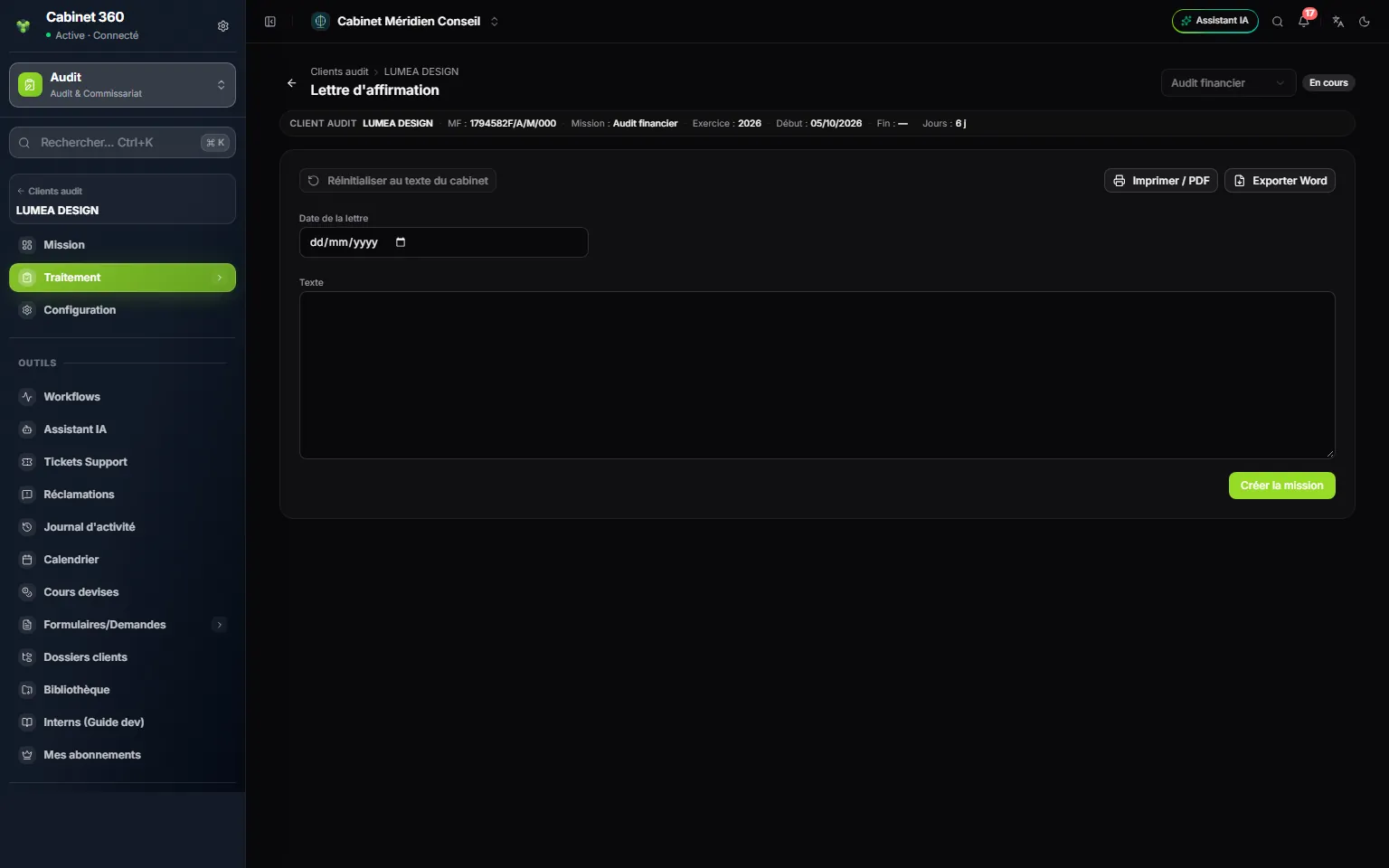
- 1. Reset to the firm's standard text: take the standard text again.
- 2. Print / PDF and « Exporter Word » (export to Word).
- 3. « Date de la lettre » (date of the letter): it is printed under the text.
- 4. Text of the letter.
- 5. Create mission: this button creates the letter.
- Choose the « Date de la lettre ».
- Click Create mission: despite its name, this button creates this mission's letter. The Text takes the firm's standard text.
- Adapt the text, then click Save.
- Click Print / PDF: the browser's print window opens. « Exporter Word » downloads a .doc file.
The printout follows the layout set in Settings: the title centred and underlined, the body, then « Fait le » (done on) and the date of the letter, or today's date if it is empty. Reset to the firm's standard text replaces the text in the box with the standard text, after confirmation; then click Save to keep it.
The general report and the special report
The CAC report menu has two entries, Special report and General report. They open the same screen, which carries the two reports one under the other:
- the General report gives the auditor's opinion on the financial statements;
- the Special report reports on the regulated agreements, under articles 200 and following of the Commercial Companies Code.
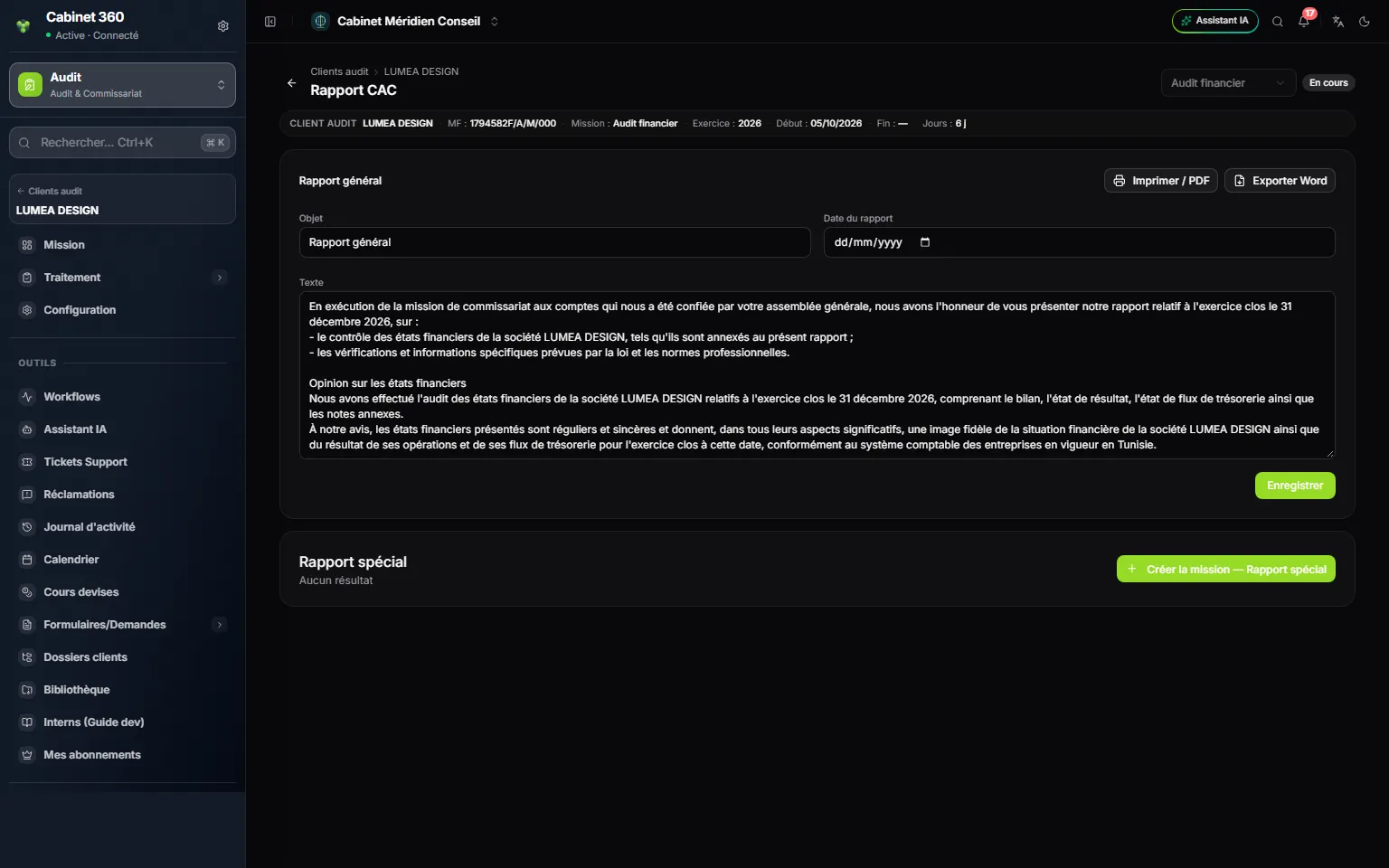
- 1. Print / PDF and « Exporter Word » of the general report.
- 2. Subject and Report date.
- 3. The standard text, written in the name of the client and of the fiscal year.
- 4. Create mission — Special report: this button creates the special report.
- On the General report card, click Create mission — General report. The report is created with its standard text: the statutory audit engagement, the opinion on the financial statements and its basis, in the client's name and for the mission's fiscal year.
- Read the text in the Text box again and correct it if needed.
- Click Print / PDF, or « Exporter Word » to finish the report in your word processor.
- Do the same on the Special report card.
The printout uses the Subject and the Text as they are in the boxes at the moment of the click: the subject as the title, then the text, under the heading « [ Cabinet d'audit ] » (audit firm) and the mention of the Order of Chartered Accountants of Tunisia. The Report date box is not printed: the signature carries today's date.
A mission has a single general report and a single special report. A closed mission can be read but not changed, but its documents can still be printed and exported.