
The leads, cycle by cycle
A lead is a lead schedule: one cycle of the audit, with its code, its title and its budget in days. Despite the screen's name, nothing is generated by itself: you enter each lead.
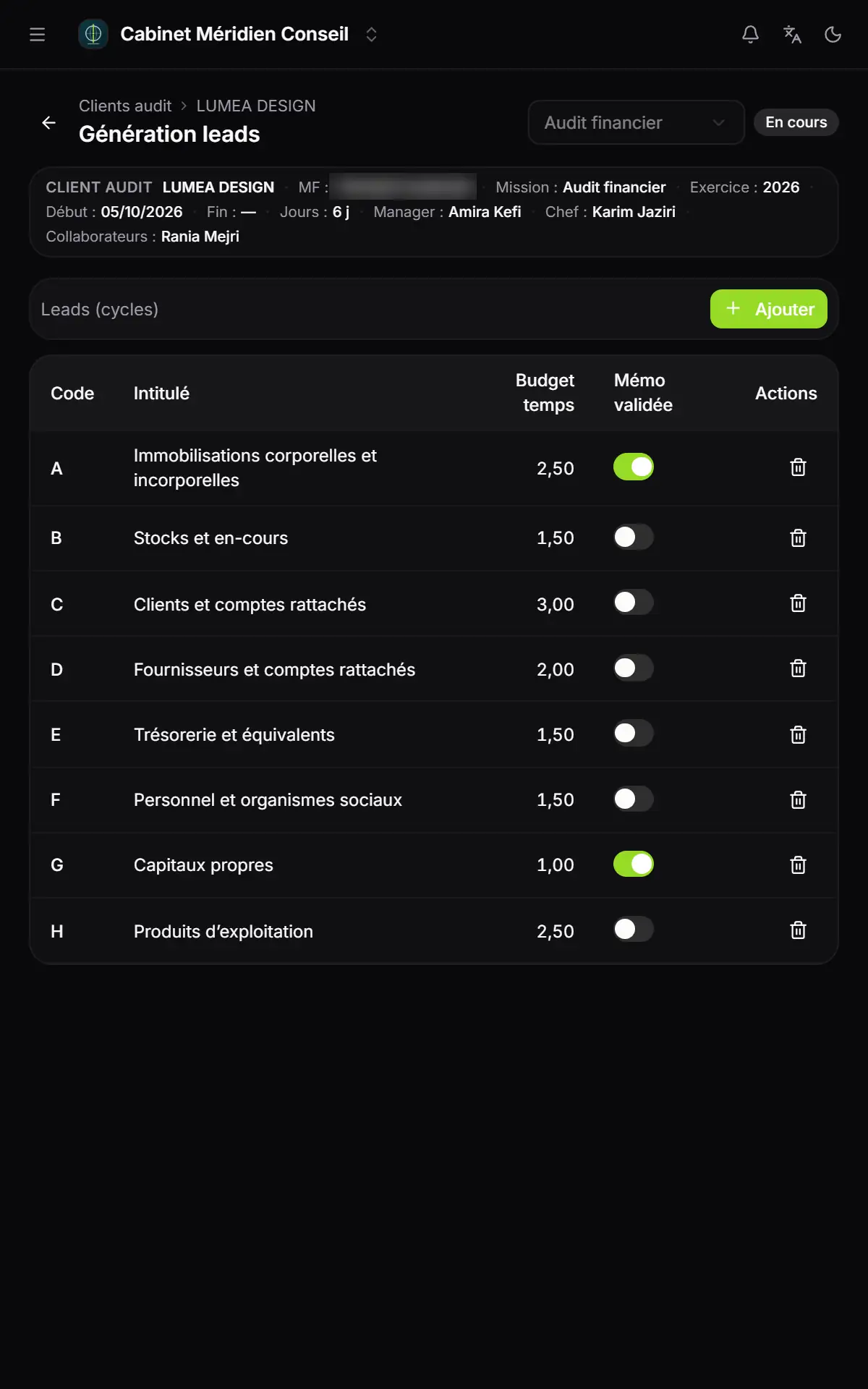
- 1. The mission header: client, type, fiscal year, dates and team, on every screen.
- 2. Add: a new lead.
- 3. Time budget: in days, with two decimals.
- 4. Memo validated: the switch is saved as soon as you click.
- 5. The bin removes the lead, after confirmation.
- Click Add.
- Enter the Code and the Title, both required, then the Time budget in days, in half-days if needed.
- Click Add: « Enregistré » (saved) appears and the lead enters the table, sorted by code.
As soon as a mission has a lead, the Leads generation entry of the menu becomes a folder: it lists each lead by its title.
The sub-leads
A sub-lead details a lead: for example « C1 Clients ordinaires » (ordinary customers) under the lead « C Clients et comptes rattachés » (customers and related accounts).
- Click Add. The button stays greyed out as long as the mission has no lead.
- Choose the Lead, then enter the Code, the Title and the Time budget.
- Click Add.
The table recalls, for each sub-lead, the code and the title of its lead.
The work assignments
This screen keeps the list of the mission's Work assignments: each piece of work to do, with the collaborator who carries it out and its budget.
- Click Add.
- Enter the Code and the Title, required. A code is used only once per mission.
- Choose the Team member from the mission's team: the manager, the mission lead and the collaborators named in Team assignment (chapter 4). If the team is empty, the list only offers « None ».
- Enter the Time budget in days and, if needed, Notes.
- Click Add.
The table shows the code, the title, the collaborator's name and the budget. The notes are kept with the work assignment, without being shown in the table.
The synthesis memo
The synthesis memo gathers the notes and observations made on the leads and the sub-leads, one row per note, with a « Validée » (validated) box. Its words are shown in French, whatever the language of your screen. These are the same validations as the Memo validated switch of the list of leads.
- Tick « Validée » on the notes you have reviewed, then click « Enregistrer » (save).
- Under « Impression : » (printing), choose « Toutes » (all), « Validées » (validated) or « Non validées » (not validated).
- Click PDF to print, Excel or Word to download the table.
The PDF carries the firm's name, the client, the fiscal year and the date it was issued; the Excel and Word files carry the firm, the client and the fiscal year.