
The Extraction journal
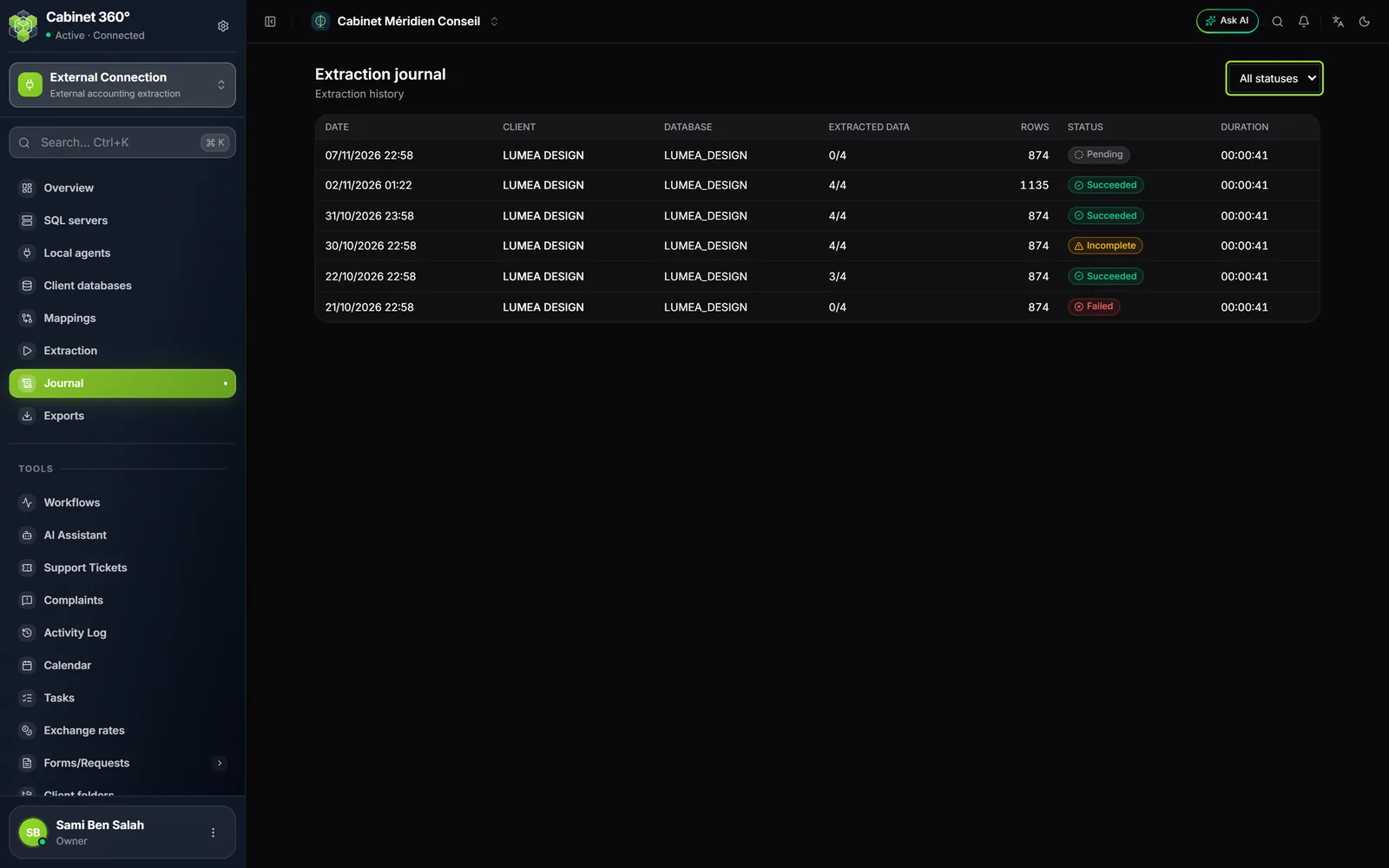
The Extraction journal page, « Extraction history », lists all your extractions, most recent first.
| Column | What it says |
|---|---|
| Date | The day and time it was run |
| Client | The client; a click reopens the extraction's follow-up |
| Database | The Sage database read |
| Extracted data | Sets processed out of sets requested, for example 4/4 |
| Rows | The total number of rows read |
| Status | Succeeded, Incomplete, Running, Failed or Pending |
| Duration | The time the extraction took, in hours, minutes and seconds |
The list at the top right filters by state: All statuses, Succeeded, Incomplete, Running, Failed, Pending. The filter follows the same rule as the state shown: Succeeded only keeps complete extractions (chapter 7).
Click the client's name on a row: the Extraction screen reopens on that extraction, with its latest sync, its summary, its report buttons and the reconciliation.
The Export files
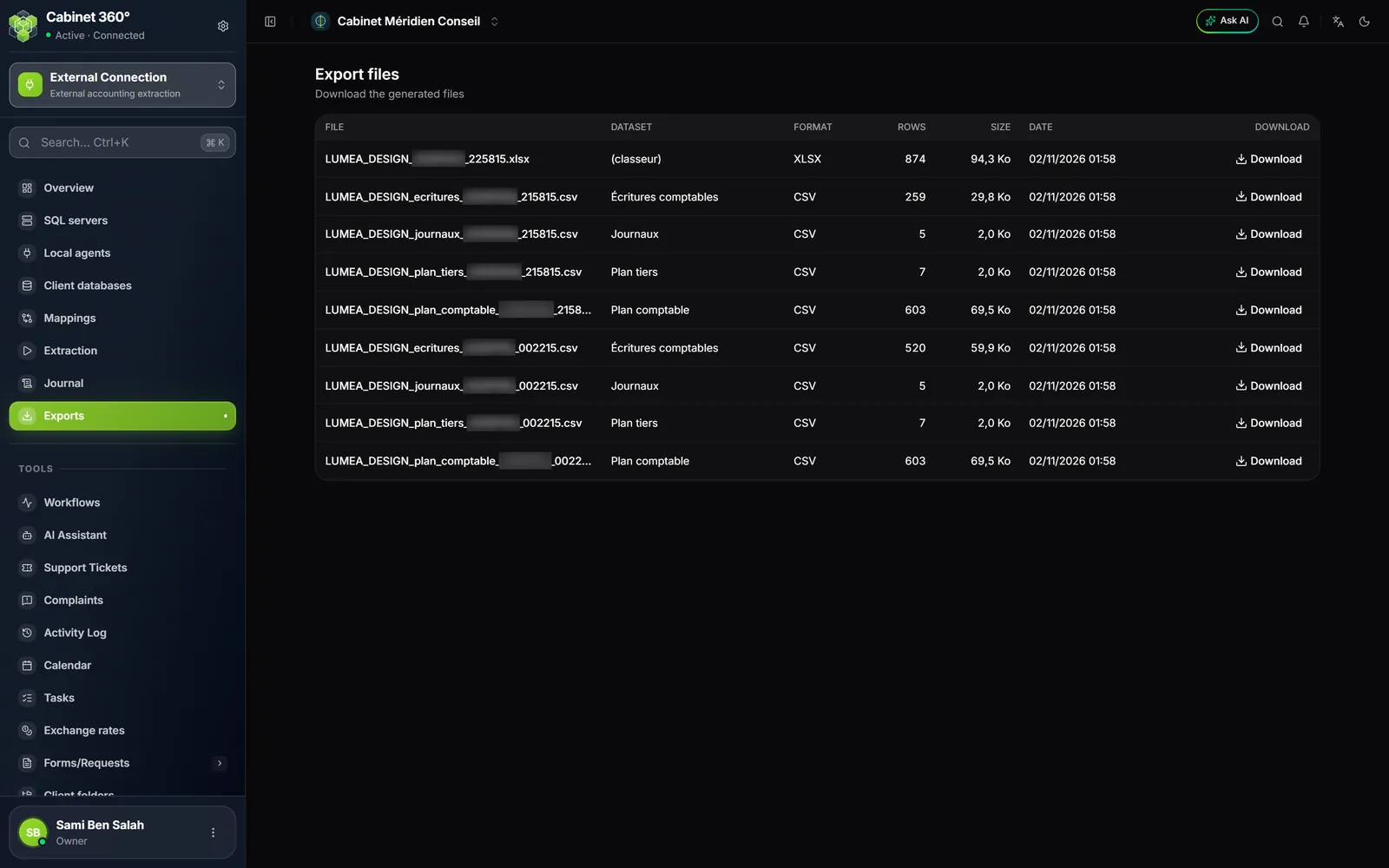
The Export files page, « Download the generated files », lists every file produced, all extractions together: File, Dataset, Format, Rows, Size and Date. The Download button, at the end of the row, saves the file on your computer.
An Excel workbook gathering several data sets has « (classeur) » (workbook) as its data set. The size is written for example « 1,2 Mo ».
An extraction's files can also be downloaded from its Progress, under Generated files (chapter 6). The takeover report is not here: it belongs to a fiscal year synced (chapter 9).
What each format produces
| Format | What comes out | For whom |
|---|---|---|
| XLSX | One workbook, one sheet per data set; the entries have one sheet per year, for example « Écritures 2024 » | You, to read and check |
| CSV | One file per data set; dates as YYYY-MM-DD and decimals with a point | Another software, which reads it back |
| One file per data set, to read or print. Through the agent, dates are written YYYY-MM-DD and decimals with a point, as in the CSV; a direct extraction from the cloud writes 1 234 567,890 and dd/mm/yyyy | A person | |
| FEC | A text file of the entries only; the other data sets come out as Excel | Another software or an auditor |
Through the agent, an Excel sheet stops at one million rows: beyond that, the year continues on a second sheet, « Écritures 2024 (2) ».
The format makes no difference to the takeover into accounting: the sync reads its own data, prepared by each extraction that includes the entries.
Recognising a file by its name
A file's name starts with the database's, then the data set, then a timestamp: for example LUMEA_DESIGN_ecritures_20261102_002215.csv. An Excel workbook has no data set in its name: LUMEA_DESIGN_20261031_225815.xlsx.
The Overview
For a glance at the whole module, the Overview (chapter 1) gives the number of configured servers, client databases and extractions, the date of the last extraction, and the six most recent extractions with their state. See all opens the Journal.