
A right of its own
Revealing a mailbox's password, or setting a new one, means being able to read all its mail. So these two actions need the Delete right on the Email Hosting screens, the highest one, and not the Create right that is enough to create mailboxes. Without it, the key and the eye do not appear on the mailbox lines.
The firm's owner and administrators have this right, as does a member with the base role Manager (supervision) and no custom role. Give it to another role only for the people who run the mail.
Revealing the password
The Reveal password eye appears on a mailbox whose password IntegraSys keeps, in encrypted form: that is the case for mailboxes created from IntegraSys.
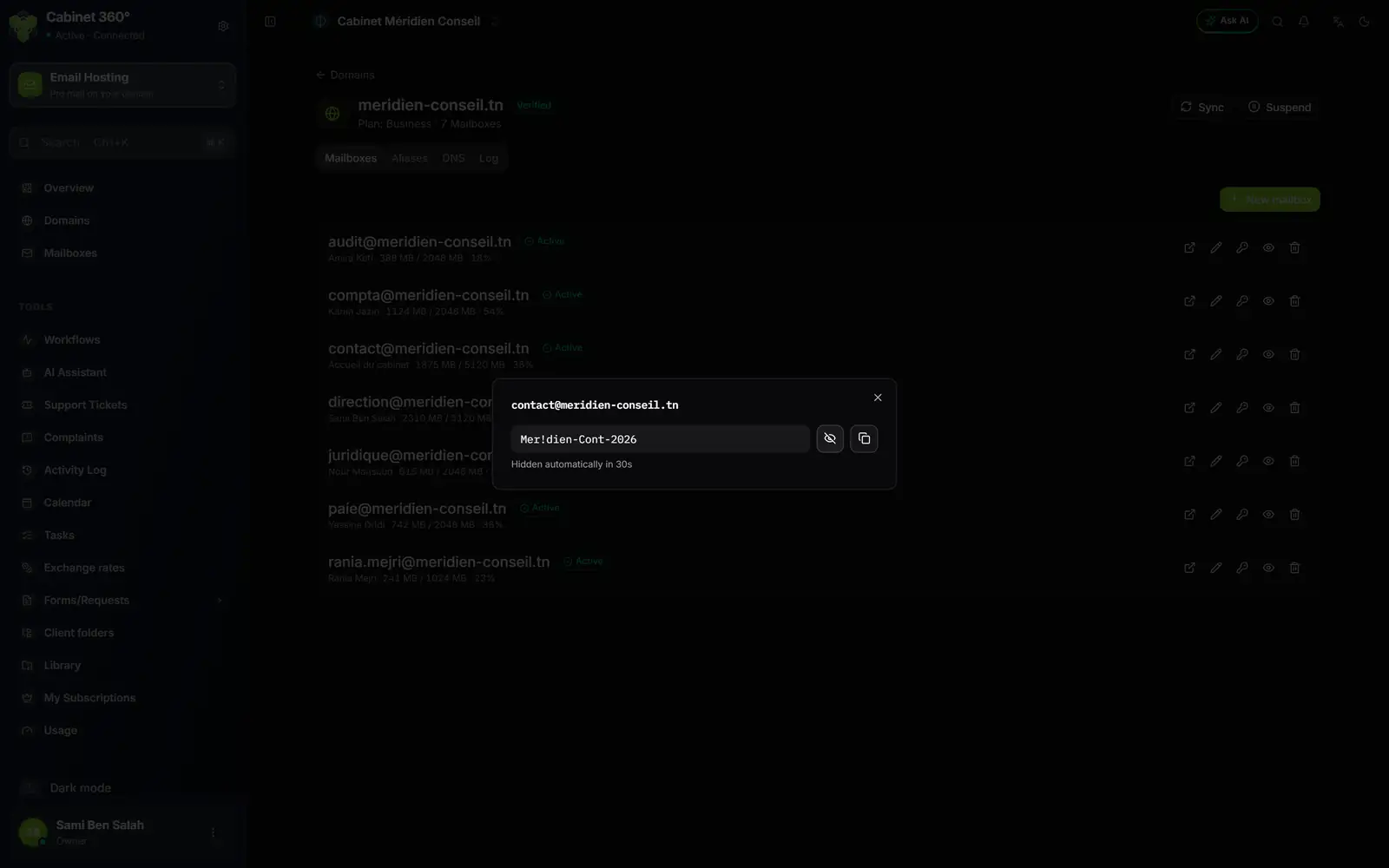
- 1. The eye shows or hides the password; the icon next to it copies it.
- 2. The countdown "Hidden automatically in 30s", which stops while the window is active.
- On the mailbox's line, click the Reveal password eye.
- The window opens with the address as its title and the password hidden.
- Click the window's eye to read it, or the copy icon: "Password copied".
- Close the window with the cross as soon as you are done.
The countdown "Hidden automatically in 30s" only runs while the window is not active: it stops while the mouse is over it or one of its buttons is selected, which is the case as soon as it opens. So do not count on it to close the window: close it yourself.
If the browser refuses the copy, the message "Couldn't copy — select and copy manually." appears: select the text and copy it by hand.
Resetting the password
- On the mailbox's line, click the Reset password key.
- The window recalls the address. The New password field is already filled with a generated password; the arrows draw another one, or type your own (at least 10 characters).
- Write it down, then click Reset password: "Password reset".
The new password replaces the old one on the mail server at once. The person must type it everywhere they read this mailbox: webmail, computer, phone.
The limits
- Together, revealing and resetting can be done at most 10 times per hour and per person. Beyond that, the request is refused: try again later.
- A deleted mailbox, awaiting permanent deletion, can be neither revealed nor reset: restore it first (chapter 10).
- A mailbox not yet created on the mail server cannot be reset: "Boîte pas encore créée sur le serveur de messagerie." (mailbox not yet created on the mail server). Retry it first (chapter 5).
- A mailbox with no saved password has no eye: reset its password to give it one.