
The list of aliases
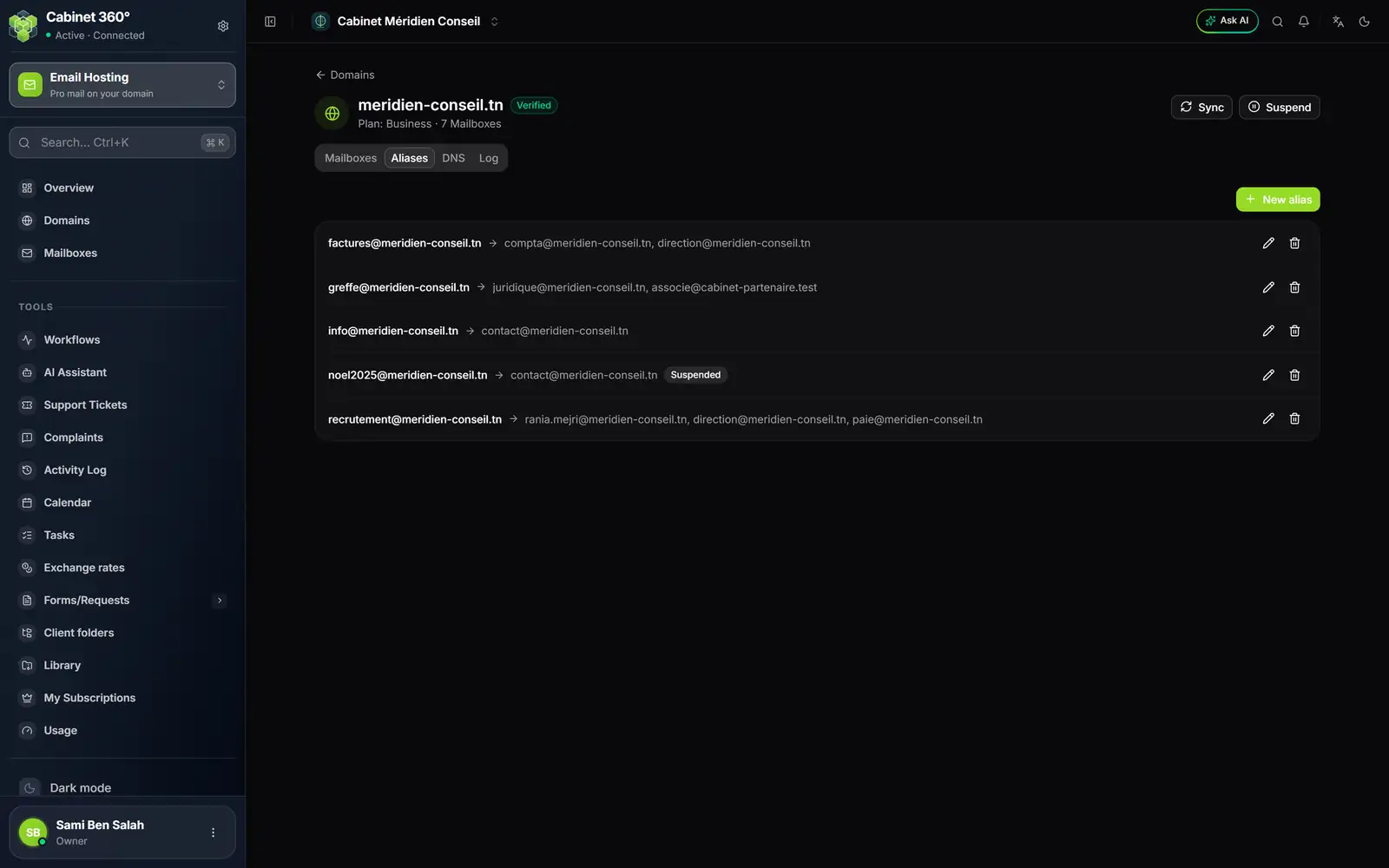
- 1. New alias: visible with the Create right, on a verified domain.
- 2. The source address, then the arrow and its destinations.
- 3. Suspended: the alias exists, but no longer forwards mail.
- 4. Edit (pencil) and Delete (bin).
A destination can be a mailbox of the domain or an address elsewhere: on the screen, greffe@ forwards to the juridique@ mailbox and to a partner at another firm.
Creating an alias
- Open the domain, Aliases tab, then click New alias.
- In Source address, type the start of the address, for example factures. The domain is written on the right. Same rules as for a mailbox: lowercase letters, digits, dots, hyphens and underscores.
- In Destinations, type one address per line (a comma also separates them).
- Keep Active on, then click Create alias: "Alias created".
The screen stops you before sending if something is wrong:
- "Invalid source (letters, digits, . _ - only)."
- "Invalid address(es): …", with the addresses at fault;
- "Too many recipients (max 25)."
Duplicates are removed and addresses put in lowercase when saved.
Suspending and editing
The pencil opens the same window. There you can change the source address, the destinations, or turn Active off to suspend the alias without losing it. Click Save: "Alias updated".
If you change the source address, the old one is removed from the mail server when you save.
Deleting an alias
Click the bin, then Confirm. The window "Delete alias?" says so: "The forward is removed from the mail server."
If the mail server does not confirm the deletion, it is refused ("Delete failed"): the alias stays in place. Try again later.
What an alias does not cost
An alias has no mailbox: it takes no storage and counts in none of your subscription's limits. The Overview counts active aliases in its Aliases tile.