
The page
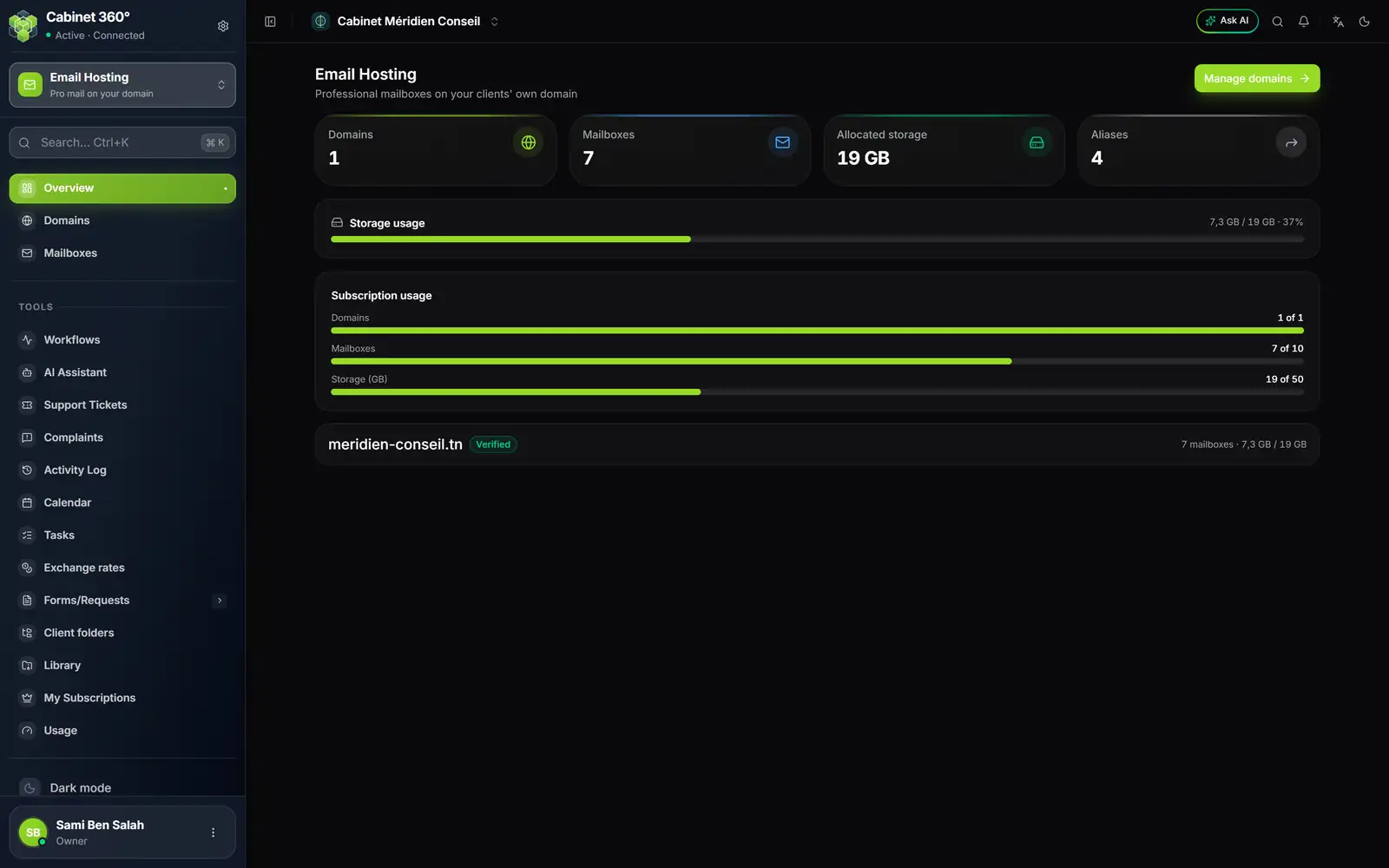
- 1. Four tiles: Domains, Mailboxes, Allocated storage and Aliases.
- 2. Storage usage: the space the messages take, out of the space reserved, and the percentage.
- 3. Subscription usage: each limit as "n of N".
- 4. One domain per line: its status, mailboxes and storage. A click opens its page.
- 5. Manage domains opens the list of domains.
The four tiles
| Tile | What it counts |
|---|---|
| Domains | Your domains, except those you have deleted. |
| Mailboxes | Active mailboxes. A suspended or deleted mailbox is not counted. |
| Allocated storage | The total size reserved for active mailboxes (their Quota), not the space the messages take. |
| Aliases | Active aliases. A suspended alias is not counted. |
On the screen above, the domain has five aliases, one of them suspended: the tile counts four.
The storage bar
The Storage usage card compares the space the messages really take with the space reserved, for example "7,3 GB / 19 GB · 37%". The bar changes colour as it fills: orange from 75%, red from 90%.
The space used is read from the mail server once an hour: a large message received a moment ago does not show yet.
Subscription usage
When your firm has an Email Hosting subscription, the Subscription usage card shows each limit and how much of it you use: Domains, Mailboxes and Storage (GB), for example "7 of 10". A limit with no ceiling shows "unlimited".
The tile and the card can differ by one unit: the tile rounds to the nearest GB, the card rounds down. 18 700 MB reserved show "19 GB" on the tile and "18 of 50" on the card.
The alerts
- Mailboxes not set up (red banner): one or more mailboxes are saved in IntegraSys but could not be created on the mail server. Open their domain's page: the mailbox carries the Failed badge, and its Retry provisioning icon creates it again (chapter 5).
- Add your first domain to create mailboxes. (orange banner): you have no domain yet. Click Manage domains, then follow chapter 3.