
The webmail
- Open the domain, Mailboxes tab.
- On the mailbox's line, click the Open webmail icon, the first on the left.
- The webmail opens in a new tab. If it asks you to sign in, type the mailbox's full address and its password.
- The icon needs the Create right. Without it, it does not appear.
- It is greyed out until the mailbox is created on the mail server (Provisioning… or Failed badge, chapter 5).
- Nothing opens? The browser blocked the new tab: allow pop-ups for IntegraSys, then try again. On an error, the message "Could not open webmail" shows, without the reason today: check the mailbox's badge and your rights.
A mail app or a phone
The settings are on the domain's DNS tab, card IMAP / SMTP configuration.
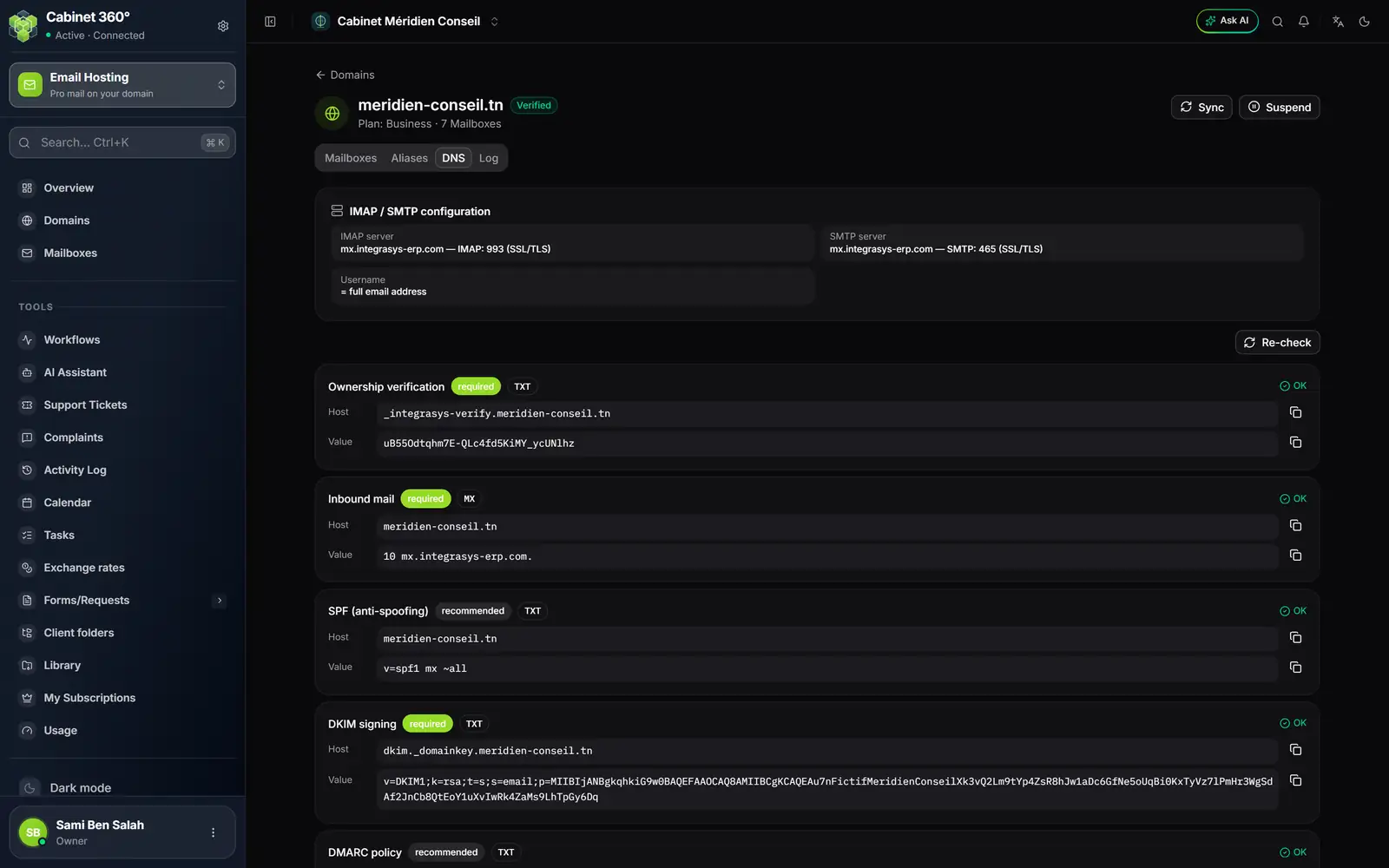
- 1. IMAP server: the server's address for receiving, port 993 (SSL/TLS).
- 2. SMTP server: the same address for sending, port 465 (SSL/TLS).
- 3. Username: the full email address.
In Outlook, Thunderbird, Apple Mail or the phone's mail app, add an IMAP account with these values:
| Setting | Value |
|---|---|
| Incoming server (IMAP) | the address shown on the card, port 993, SSL/TLS encryption |
| Outgoing server (SMTP) | the same address, port 465, SSL/TLS encryption |
| User name | the full email address, for example compta@meridien-conseil.tn |
| Password | the mailbox's password |
A person with no IntegraSys account reads their mail this way, in an app or on their phone.
When something does not work
| What you see | What to check |
|---|---|
| The password is refused | Reveal it or reset it (chapter 6). |
| The app warns about a certificate | Type the settings by hand, as in the table, instead of letting it look for them. |
| Nothing arrives, or nothing leaves | The domain must be Verified and the mailbox Active. A Suspended domain stops all its mailboxes. |
| The mailbox is full | Compare its space used with its quota, on its line; raise its Quota (MB) if the subscription's storage allows. |
If everything is in order and mail still does not get through, contact the IntegraSys team.