
Closing
In the client's accounting file:
A financial year's padlock opens the three-step wizard: the closing, the next financial year, the carry-forward. Three ways to carry forward: according to the accounts' settings, the balances, or the unmatched entries; expense and income accounts (classes 6 and 7) are never carried forward. Close and carry forward writes the opening entry as document 00001 of the new year. The closing report downloads as PDF or Excel.
The financial statements
First the mapping of the balances (general, third parties) and of the SIG, then the notes; the cash-flow mapping opens once the notes are 100 % mapped, and the tax computation is saved before generation. Generation shows six tabs: assets, equity and liabilities, income statement, cash-flow statement, intermediate management balances and tax computation. The N-1 column comes from the previous year, from an imported balance, or is typed in. The checks (five, sometimes more) must all pass before Save the financial statements.
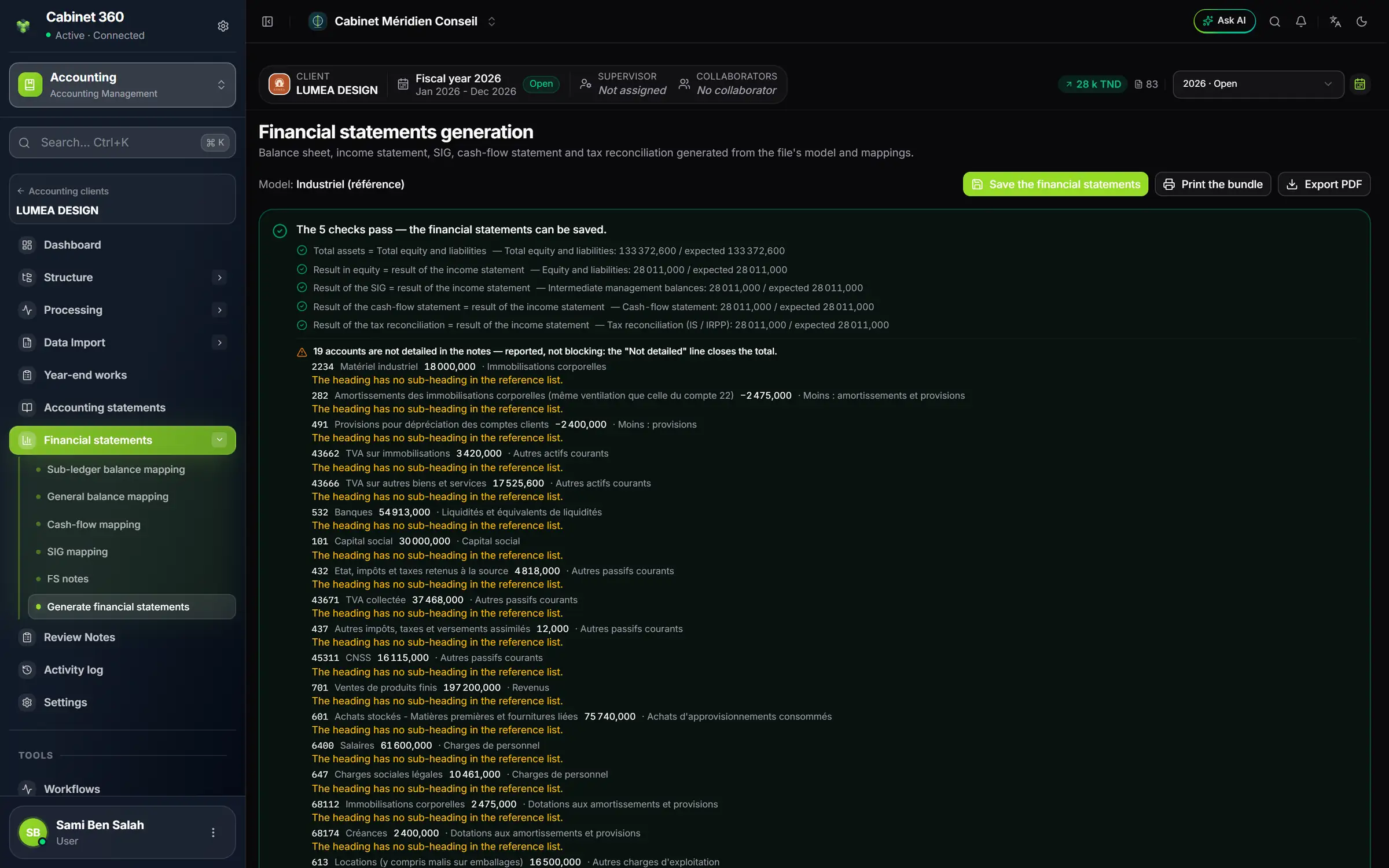
- 1. The file's model of financial statements.
- 2. Save the financial statements, once the checks pass.
- 3. Print the bundle: the complete PDF.
- 4. The checks, one per line.
What comes out
Print the bundle gives the complete PDF: a cover page with the client's logo, assets, liabilities, income, cash flow, intermediate balances, notes, tax computation and fixed assets. The Tax module then takes over this tax computation. The RNE filing is followed in RNE financial-statement filing, with its deadline: seven months after closing.