
Collecting
You need an open cash folio and a validated document. New collection receives a number (ENC-YYMM-NNNN). Choose the payment type, the client, the documents paid and the means of payment, then Validate collection. Print receipt gives the collection receipt.
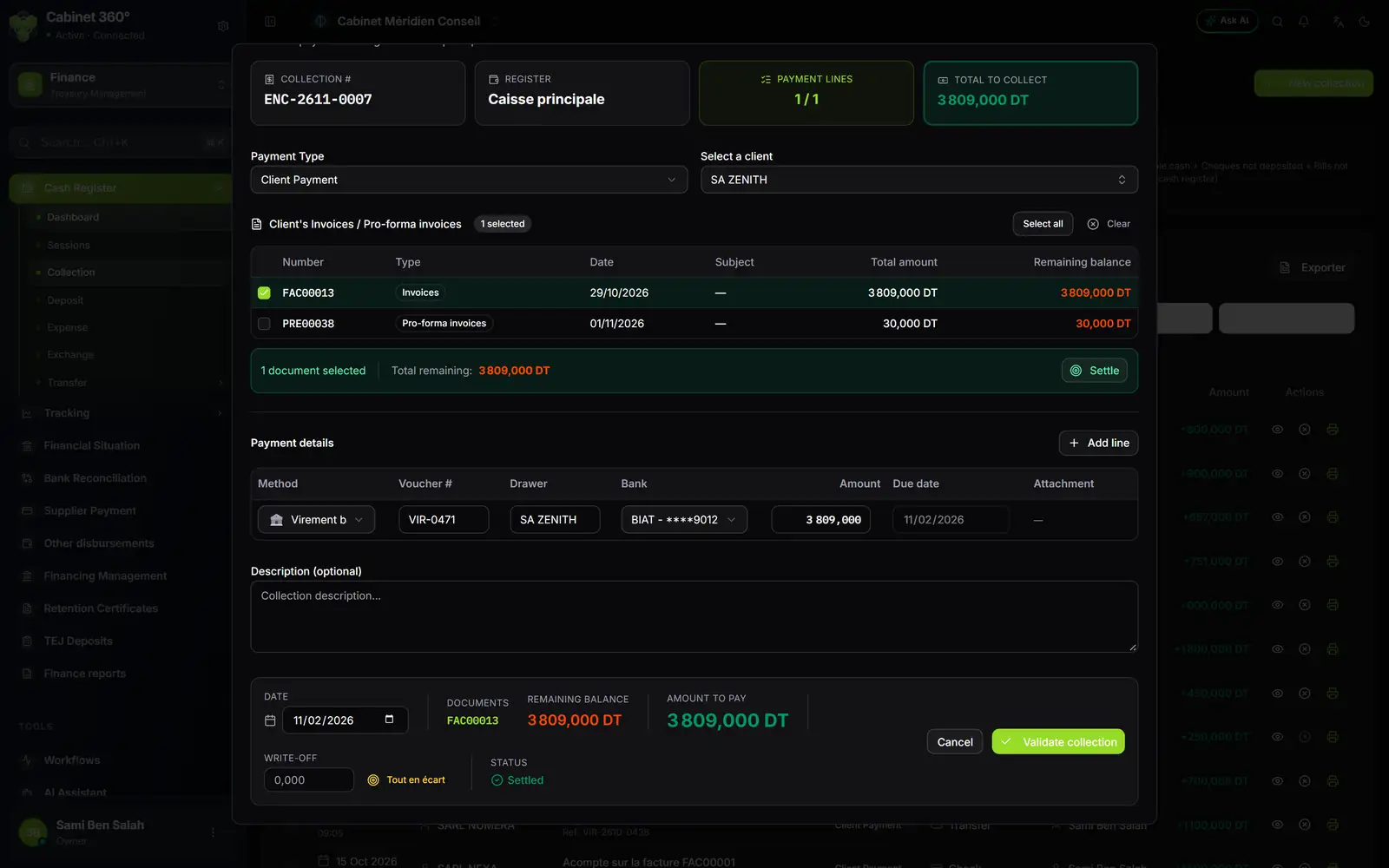
- 1. The number of the collection.
- 2. The payment type: client, unpaid, foreign, advance.
- 3. Validate collection, then print the receipt.
Depositing at the bank
New deposit: the type, the bank account, the remittance type (mandatory for bills of exchange) and the document number, then Validate deposit; the deposit slip prints. In Finance › Tracking › Deposits, each deposit is then marked deposited or unpaid (a remittance of cheques or bills, cheque by cheque). An unpaid mark cannot be undone.
What comes out
The collection receipt (A4: documents paid, means of payment, two approval boxes), the deposit slip, the financial situation as a landscape PDF « as at » the chosen day, and the finance reports (safe inventory, deposits, collections) as PDF or Excel.