
The chain of documents
The four sales documents follow one another: a quote converts into a pre-invoice or an invoice, one or more pre-invoices into an invoice, and a credit note corrects an invoice. Conventions and domiciliations, further down the menu, produce their pre-invoices in one click: Generate pre-invoices creates one per period.
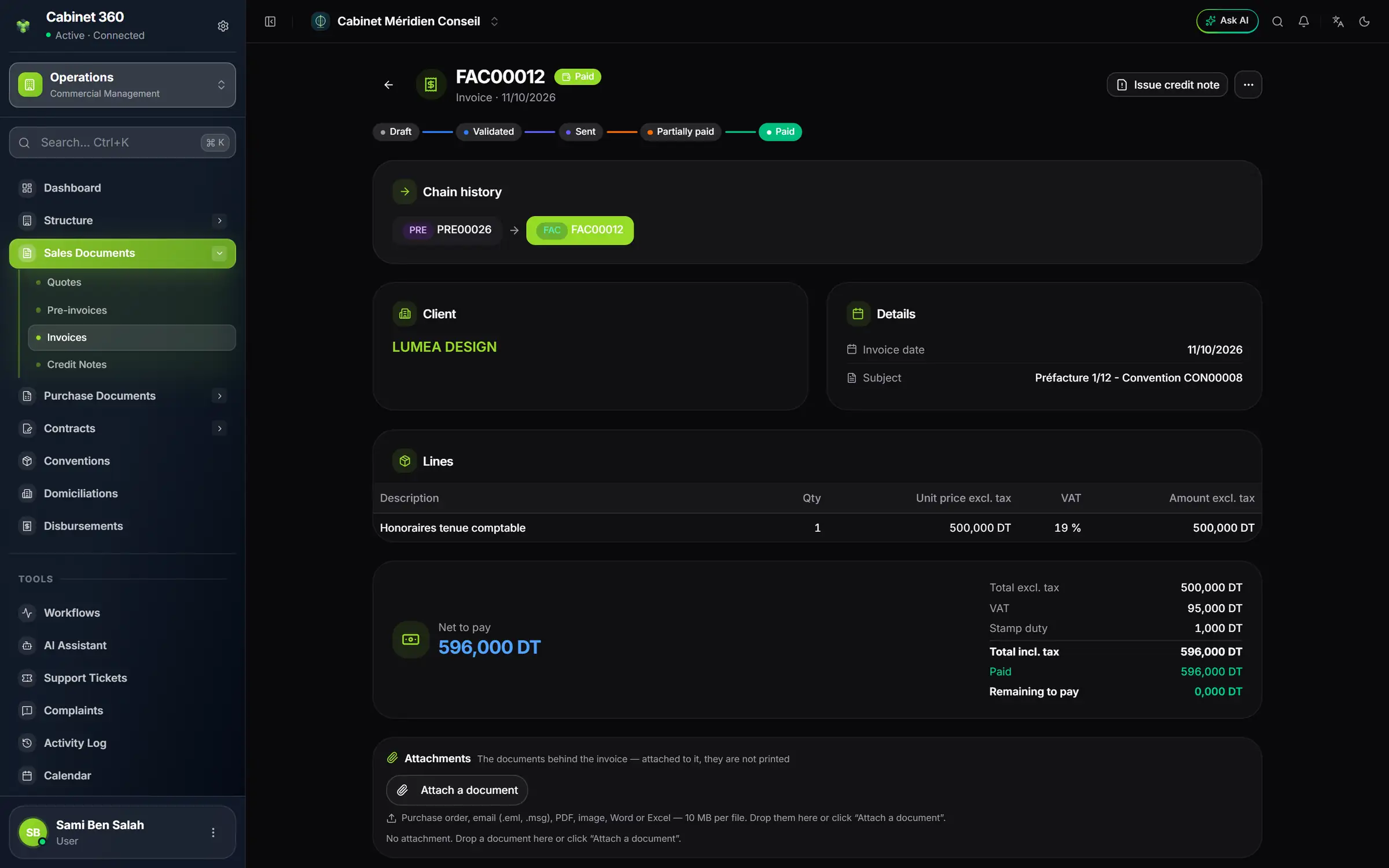
- 1. The status moves forward: Draft, Validated, Sent, Partially paid, Paid.
- 2. Each line carries its VAT: quantity, unit price excl. tax, rate.
- 3. Total incl. tax = total excl. tax + VAT + stamp duty (here 500,000 + 95,000 + 1,000 = 596,000 DT); net to pay deducts the withholding tax or the advance, if any.
Number, date, VAT, stamp
A quote or a pre-invoice gets its number when saved. An invoice or a credit note does not: as a draft, it has neither number nor date. Validate gives it the next number of the sequence and today's date. So an invoice cannot be backdated.
The VAT comes from the item's record and is not typed on the line. An item subject to VAT cannot be invoiced at 0 %, unless the client holds a suspension authorisation covering the date. The stamp duty is not typed either: its amount is your company's, 1,000 DT by default; it appears on every invoice, every quote and, by default, every pre-invoice, except for a client not liable to VAT whose record unticks it; never on a credit note.
What comes out
Download PDF or Print give the invoice in the template chosen in chapter 2, with your logo and, if you chose them, your signature and your bank in the footer. A draft prints marked « BROUILLON »; with the watermark, ticked by default, a cancelled invoice carries « ANNULEE ». The sales journal comes out as PDF, Excel or CSV.