
The HR file
The client must have the « Human resources » service. Opened from HR Clients, its file requires the collective agreement, a supervisor and at least one collaborator, chosen among the firm's agents; opened by the start-of-service date on the client's record, complete them afterwards. The menu becomes the file's menu: Payroll months, Employees, Employment contracts, Processing, HR reports…
Employees and contracts
The employee's record requires their civil status, their identity document and a copy of it. Each contract takes its number from the « Employment contract » sequence.
The payroll month
Choose the financial year, then the month. While the month is open, Processing takes its entries. Generate computes the payslips, Close closes the month and opens the next one, Post passes a single « Paie MM/AAAA » entry into the client's books. The quarter's social declarations (CNSS, CAVIS, group insurance) follow in Social Declarations, from the closed months.
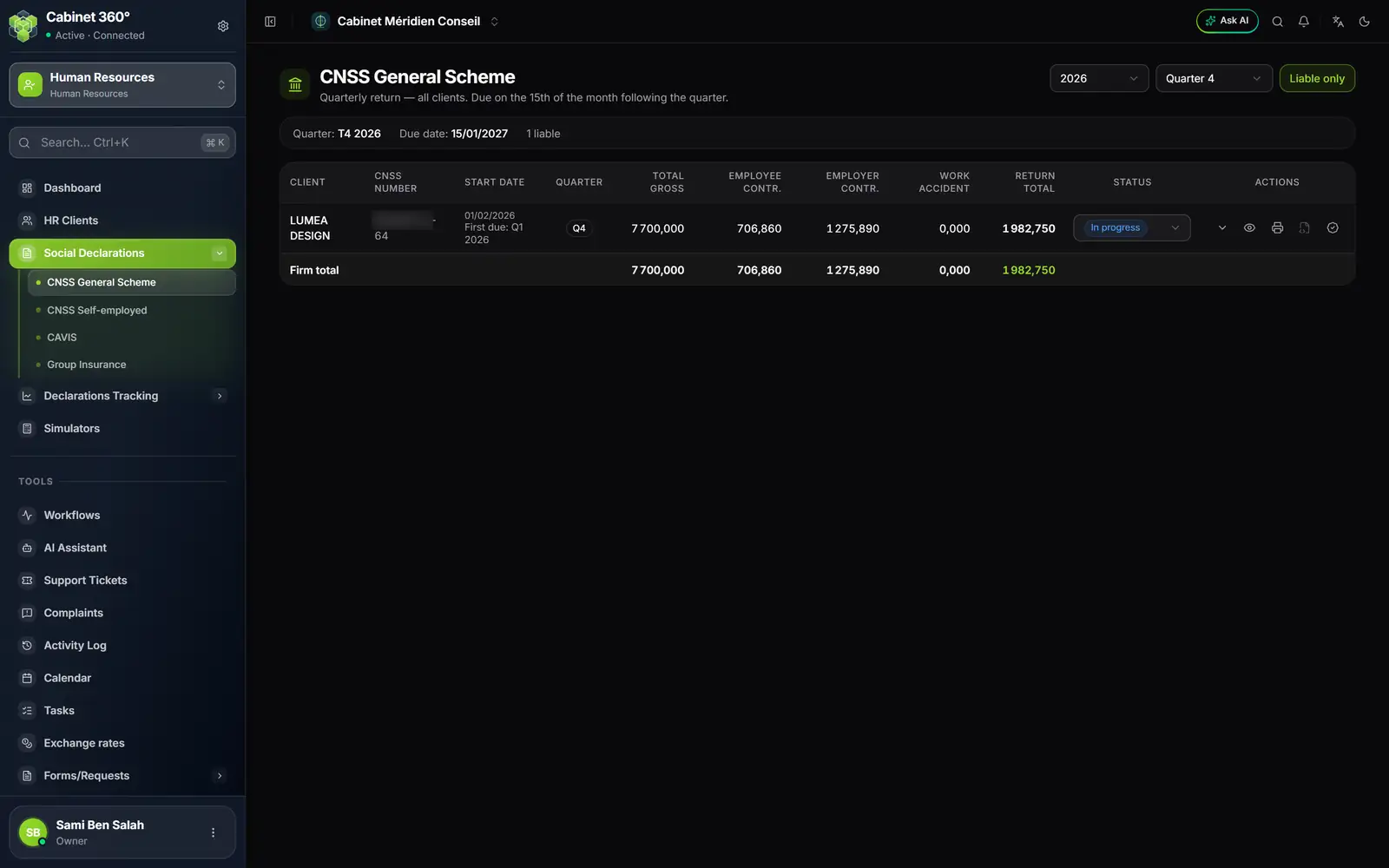
- 1. CNSS General Scheme, in Social Declarations.
- 2. The year and the quarter.
- 3. The status of the declaration.
- 4. View, print, generate, validate.
What comes out
Print, on the month, gives the payroll ledger as PDF or Excel. HR reports gathers the rest: payslips, employer contributions, salary transfer order, leave statement, attendance and salary certificates, withholding certificate, employment contract… These documents carry the employer's name, your client's, never the firm's. Certificates use the firm's template, otherwise the built-in one; a contract uses the template assigned to the client, the firm's or a standard one (CDI, CDD, apprenticeship, internship).