
The page
The information belongs to the chosen fiscal year: a new year starts from empty boxes. Every box, except the VAT rate, has two columns: Exercice N (year N) and Exercice N-1 (year N-1).
The page's title, block names, box labels and save button are written in French on every language. The introduction, the yellow note and the help lines under the VAT rate and the headcount follow the screen language.
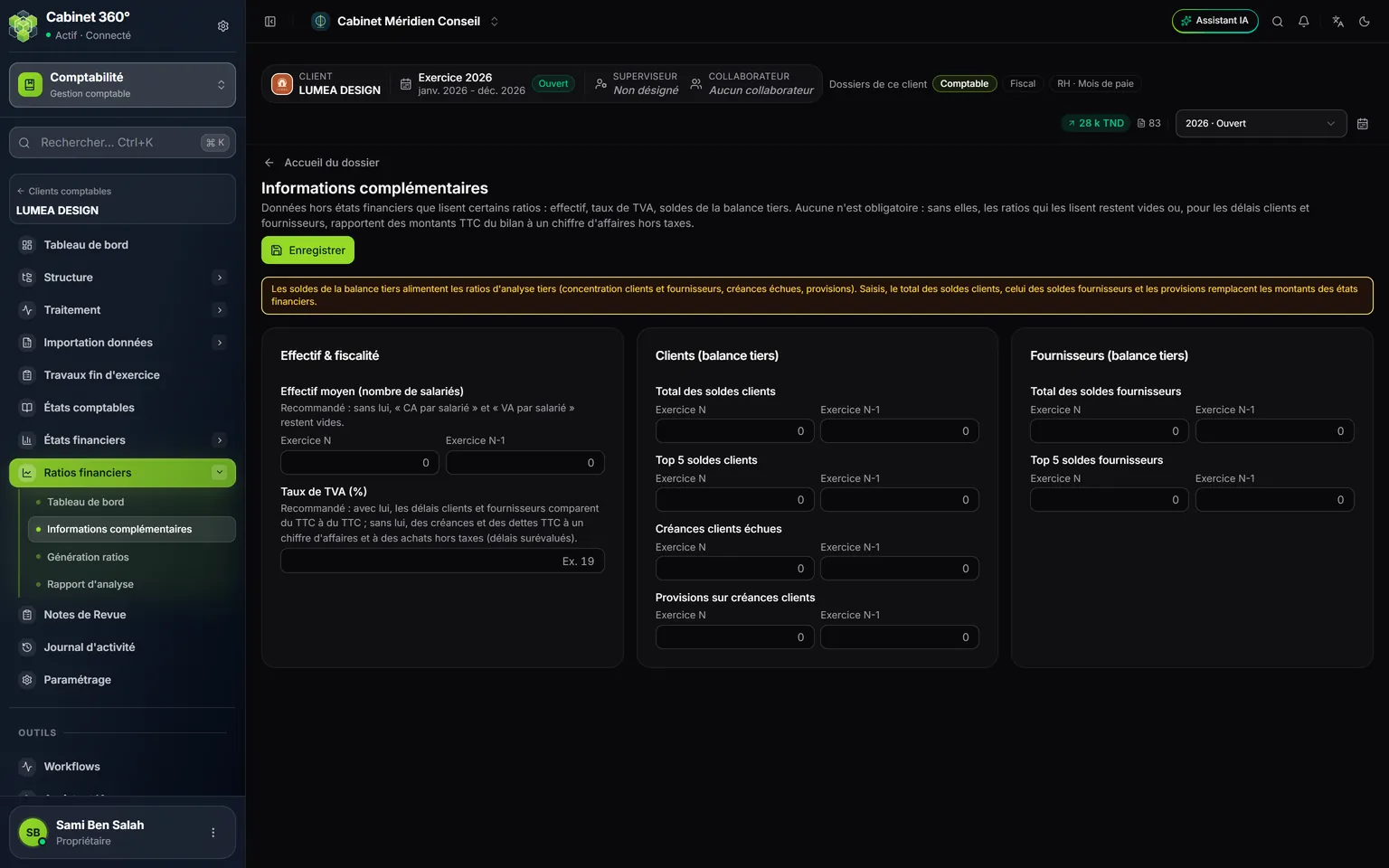
- 1. Effectif moyen (nombre de salariés) (average headcount), for year N and year N-1. The line below says what it changes.
- 2. Taux de TVA (%) (VAT rate): a single box, for example 19. Recommended.
- 3. Clients (balance tiers) (customers, third-party balance): total of balances, top 5, overdue receivables, provisions.
- 4. Fournisseurs (balance tiers) (suppliers, third-party balance): total of balances and top 5.
- 5. Enregistrer (save): saves the filled boxes of the year.
What each box changes
| Block | Box | What it changes |
|---|---|---|
| Effectif & fiscalité (headcount & tax) | Effectif moyen (nombre de salariés) — average headcount | "Revenue per employee" and "Value added per employee". |
| Effectif & fiscalité | Taux de TVA (%) — VAT rate | Both payment periods: customers and suppliers. |
| Clients (balance tiers) | Total des soldes clients — total customer balances | "Top 5 customer concentration" and "Overdue receivables / Trade receivables". |
| Clients (balance tiers) | Top 5 soldes clients — the total of the five largest customer balances | "Top 5 customer concentration". |
| Clients (balance tiers) | Créances clients échues — overdue customer receivables | "Overdue receivables / Trade receivables". |
| Clients (balance tiers) | Provisions sur créances clients — provisions on customer receivables | "Receivable provisions / Trade receivables". |
| Fournisseurs (balance tiers) | Total des soldes fournisseurs — total supplier balances | "Top 5 supplier concentration". |
| Fournisseurs (balance tiers) | Top 5 soldes fournisseurs — top 5 supplier balances | "Top 5 supplier concentration". |
The VAT rate and the payment periods including VAT
Revenue and purchases in the income statement exclude VAT. Trade receivables and trade payables in the balance sheet include VAT: they are the whole invoice. The two payment periods compare one with the other:
- Average customer collection period = trade receivables incl. VAT ÷ revenue incl. VAT × 360;
- Average supplier payment period = trade payables incl. VAT ÷ purchases incl. VAT × 360.
With the rate, IntegraSys brings revenue and purchases to amounts including VAT (multiplied by 1 + rate): the periods compare VAT-inclusive amounts with VAT-inclusive amounts. The receivables and payables of the balance sheet stay as they are, since they already include VAT.
Without the rate, the periods divide amounts including VAT by amounts excluding VAT: they are overstated by the VAT. Ratio generation says so in its warning.
How a box is read
- Decimals take a comma or a point: 125000,500 or 125000.500.
- Spaces between thousands are accepted, even the special spaces of an amount copied from another IntegraSys screen: "125 000,500" reads 125000,500.
- A negative amount takes the keyboard hyphen (-). The minus sign of an amount copied from a screen (−) is not accepted: type it again.
- An empty box is not saved. Emptying a box removes the old value at the next save.
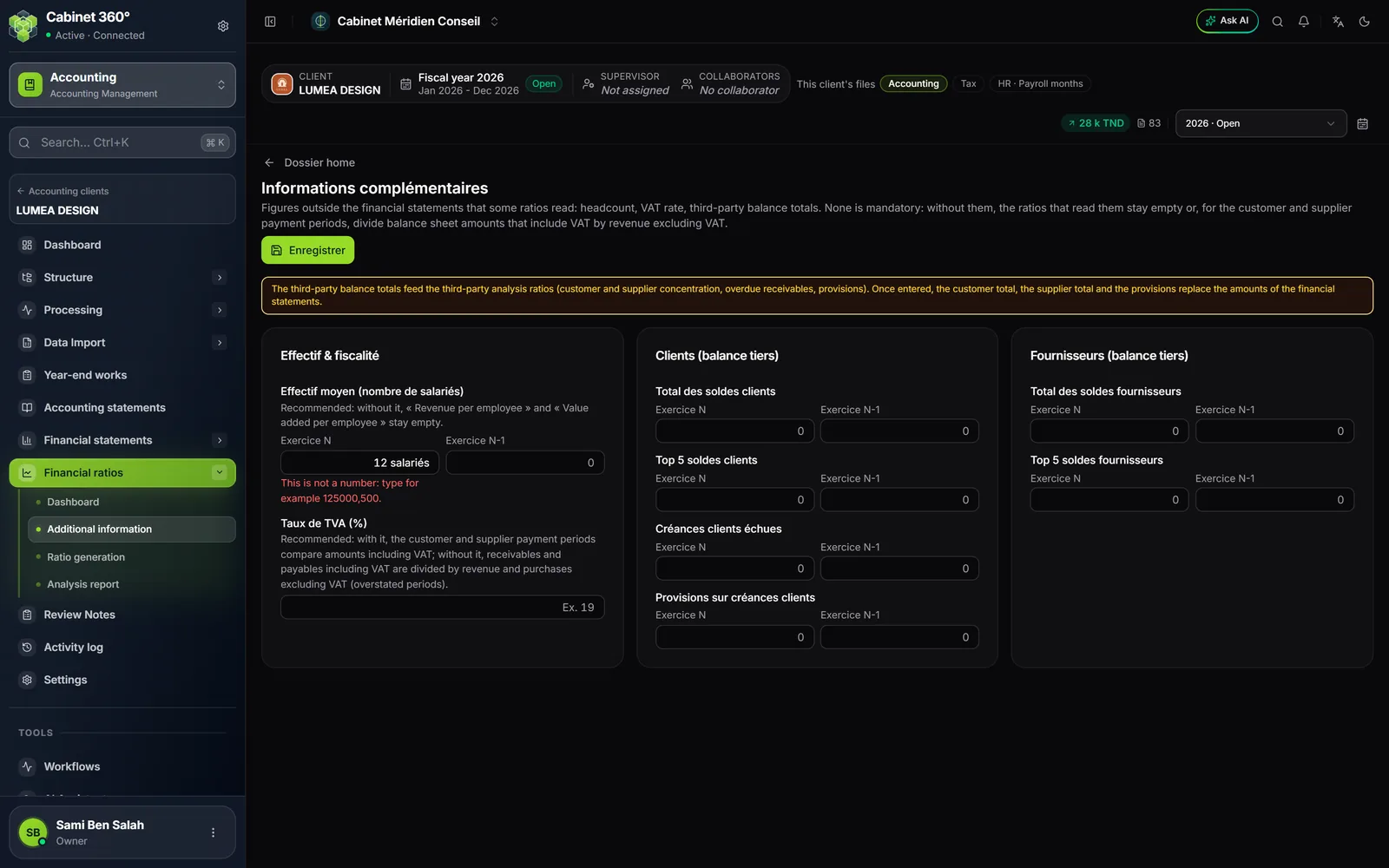
- A box that does not hold a number is flagged in red, under the box: "This is not a number: type for example 125000,500." Until it is corrected, Enregistrer refuses everything: "A box does not contain a number: correct it before saving."
Saving, then recalculating
- Fill in the useful boxes, at least the Taux de TVA (%).
- Click Enregistrer. The message « Informations enregistrées » (information saved) appears.
- Open Ratio generation and click Recalculate: saving the information does not recalculate the analysis.