Before opening the report
- The analysis must be computed. The report reads the last saved analysis again, without recomputing the ratios. With no analysis, the page says « Aucune analyse enregistrée pour cet exercice. » (no analysis saved for this year). If the accounting or the information changed since, first click Recalculate in Ratio generation.
- The client's logo gives the cover page and the report's colours: IntegraSys takes the main colour of the logo and builds the palette of titles, tables and charts from it. Save it on the client record, Client logo block. With no logo, the cover shows the first three letters of the client's name, and the report takes IntegraSys green.
- The two appendix pages "Bilan" (balance sheet) and "État de résultat" (income statement) load with the page. When they are ready, the sentence under the page title says « avec le bilan et l'état de résultat en annexe » (with the balance sheet and income statement in the appendix). Wait for it before printing: without it, the report comes out on seven pages instead of nine.
The cover page
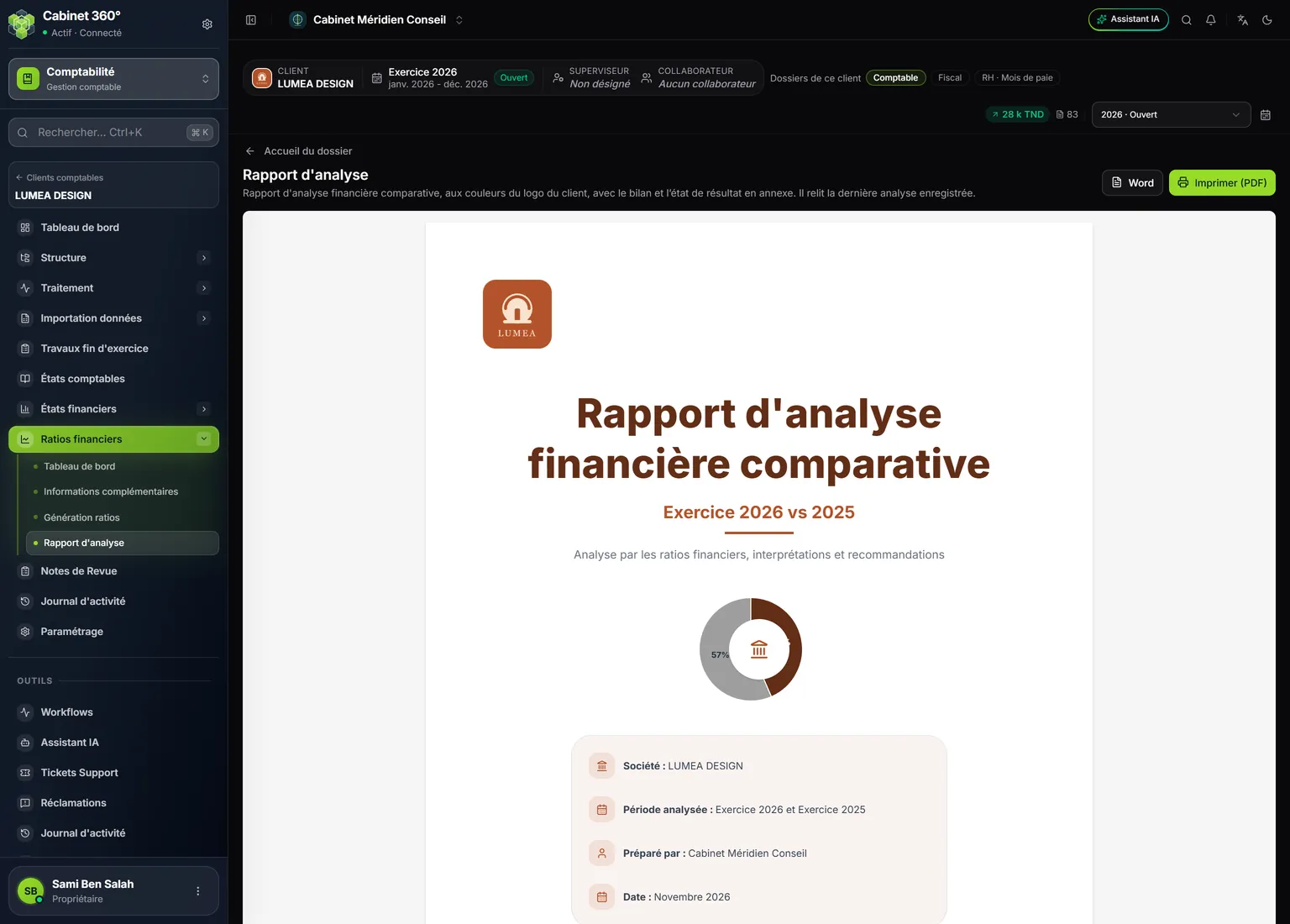
- 1. Word and Imprimer (PDF) (print): the report's two outputs.
- 2. The client's logo, top left; its colours dress the whole report.
- 3. The financial structure of the year, as a ring.
- 4. Société (company), Période analysée (period analysed) and Préparé par (prepared by: your firm's name); the Date follows, further down.
The title is « Rapport d'analyse financière comparative » (comparative financial analysis report), followed by « Exercice 2026 vs 2025 ». The box at the bottom gives:
- Société: the client's name;
- Période analysée: « Exercice 2026 et Exercice 2025 »;
- Préparé par: your firm's name, that of the company active in IntegraSys. With no name, the line is not printed;
- Date: the month and year of the day you open the report, for example « Novembre 2026 ».
The page ends with « Document de synthèse confidentiel » (confidential summary document).
The pages, one by one
Every page except the cover carries in its footer « Rapport d'analyse financière comparative », the page's subtitle and its number, for example "3/9".
| Page | Title | What it holds |
|---|---|---|
| 1 | Cover page | Logo, title, financial structure, company, period, firm, date. |
| 2 | Sommaire et méthodologie (contents and method) | Contents, purpose of the analysis, sources used, method, scope. Standard text. |
| 3 | Synthèse exécutive (executive summary) | « Santé financière globale : 89 / 100 » (overall financial health) and the ratio count; four key figures (revenue, net income, net cash, overall debt with its status); key indicators over time; Points forts (strengths) and Points de vigilance (points of attention), three ratios each; a Lecture générale (overall reading). |
| 4 | Analyse de la liquidité et de la structure financière (liquidity and financial structure) | Six ratios in a table (current, quick and cash ratios, financial autonomy, overall debt ratio, financial debt / equity), their comparison as bars, the financial structure, an Interprétation and up to four Recommandations. |
| 5 | Analyse de la rentabilité, de l'activité et du BFR (profitability, activity and WCR) | Six ratios as cards (net margin, ROE, self-financing capacity / revenue, WCR, customer period, supplier period), profitability over time, the operating cycle, the ratio diagnosis, Bons KPI and Mauvais KPI / Alertes, an Interprétation. |
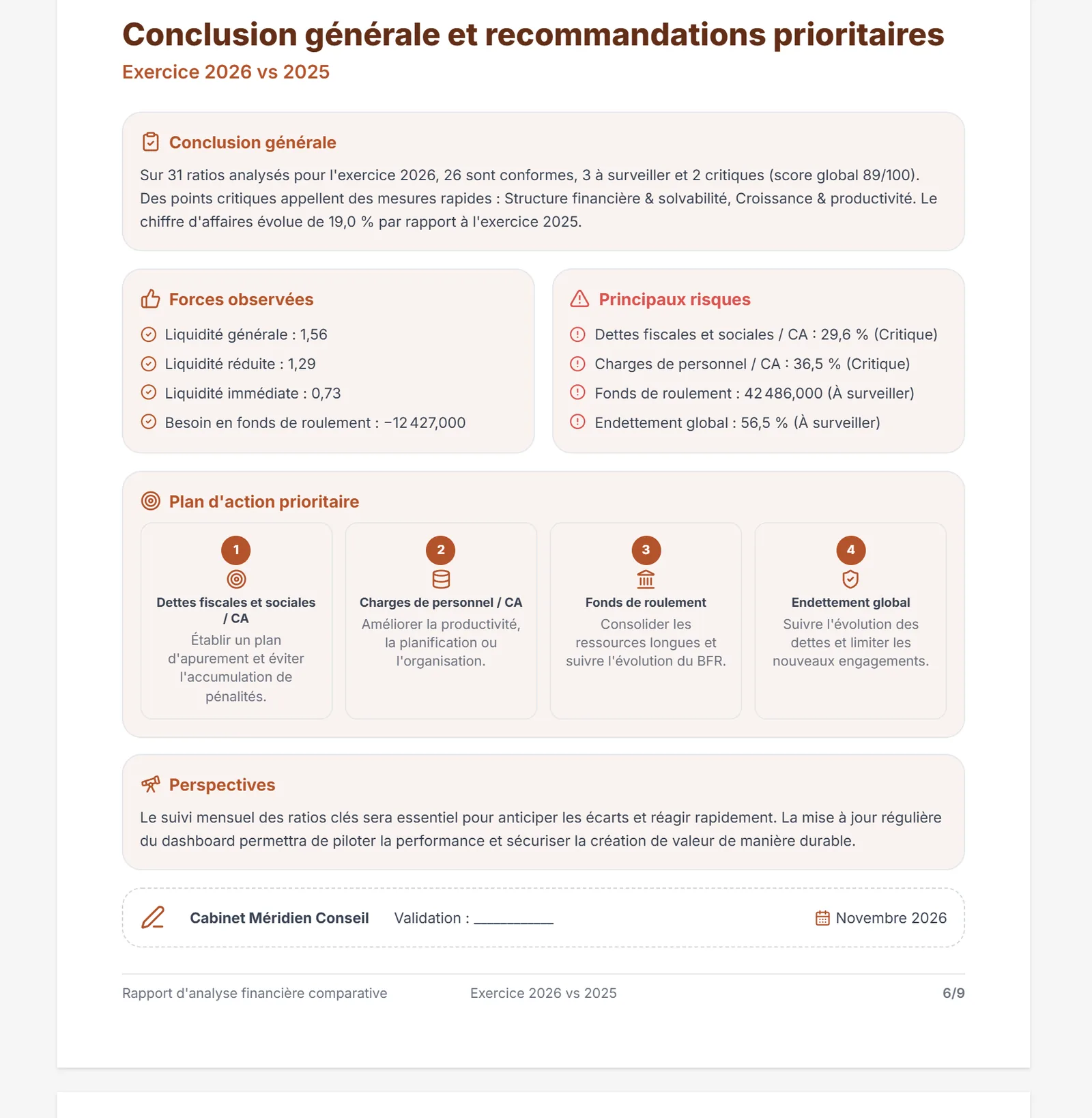
| 6 | Conclusion générale et recommandations prioritaires (conclusion and priority recommendations) | Conclusion générale, Forces observées (strengths observed), Principaux risques (main risks), Plan d'action prioritaire (priority action plan), Perspectives (outlook), and a sign-off box with the firm's name, « Validation : ____________ » and the date. |
| 7 | Annexe — Bilan | Assets, equity and liabilities, over both years, with the change, in dinars. |
| 8 | Annexe — État de résultat | The income statement over both years, with the change. |
| 9 | Annexe — Détail des ratios par famille (ratios by family) | Every computed ratio, family by family, over both years, with its status. |
If the financial statements fail to load, pages 7 and 8 disappear: the report has seven pages.
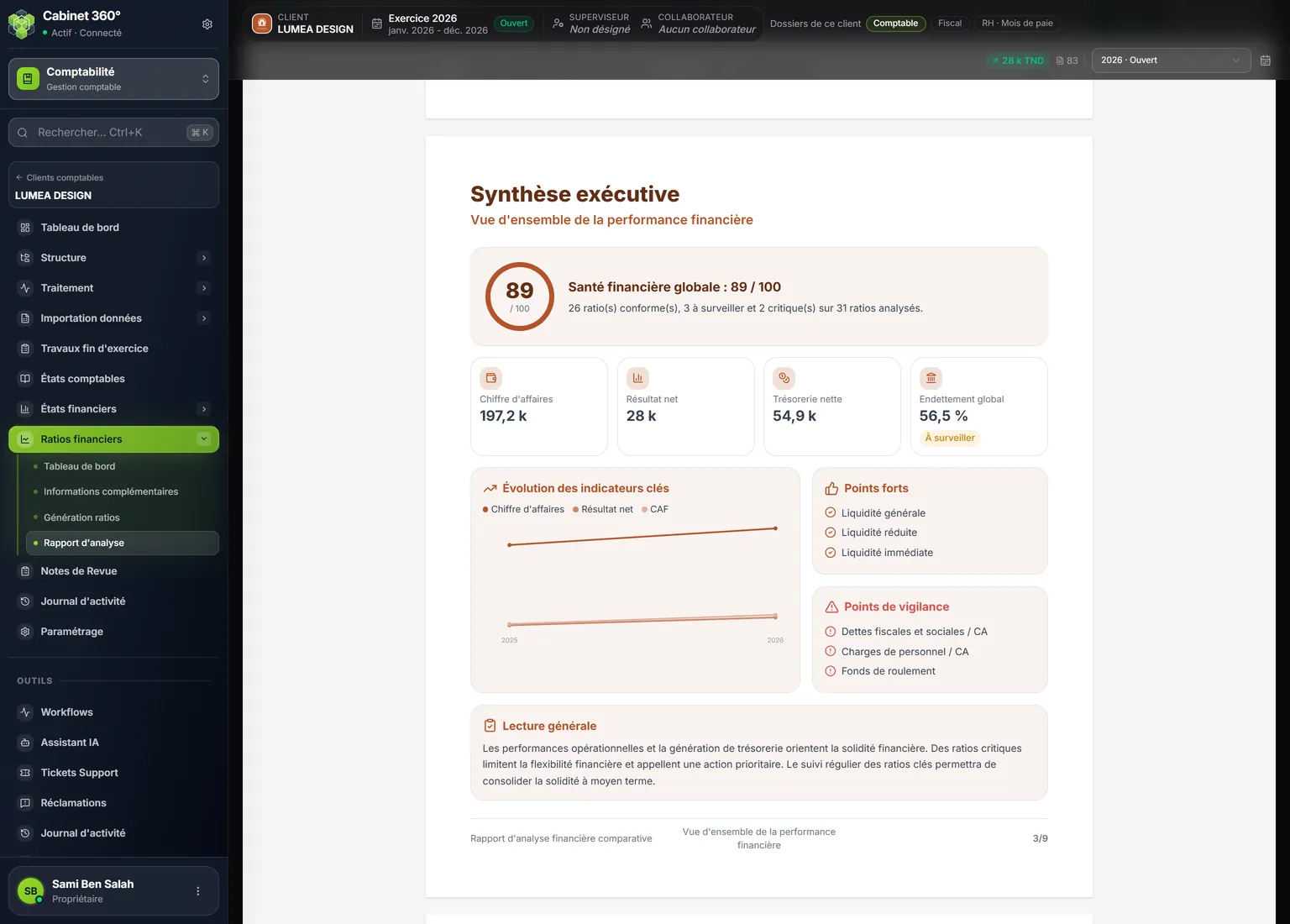
- 1. The score and the sentence that counts the ratios on target, to watch and critical.
- 2. Four key figures; overall debt carries its status.
- 3. Points forts: three ratios with the « Très bon » (very good) status.
- 4. Points de vigilance: three ratios, the most serious first.
- 5. The footer and the number, here "3/9".
What is read from the analysis
The conclusion is not a fixed text: it is put together from the ratios of the year.
- Conclusion générale: the ratio count and the score, for example « Sur 31 ratios analysés pour l'exercice 2026, 26 sont conformes, 3 à surveiller et 2 critiques (score global 89/100). » Then, if there are critical ratios, « Des points critiques appellent des mesures rapides : » followed by their families; otherwise a word on the situation. Finally, when revenue growth is computed, its change since the previous year.
- Forces observées: up to four ratios with the Good status, with their value.
- Principaux risques: up to four critical, then to-watch ratios, with their value and status.
- Plan d'action prioritaire: the recommendation of the four most serious ratios, one card per ratio.
The Points forts, the Forces observées and the Bons KPI only name ratios on target. The Points de vigilance, the Mauvais KPI / Alertes and the Principaux risques run from the most serious to the least.
Printing as PDF, exporting to Word
- Scroll through the report on screen and review it.
- Click Imprimer (PDF). The browser's print window opens on the report alone, in A4, one report page per sheet.
- Choose your printer, or save as PDF.
- To retouch the text before handing it over, click Word: the report downloads as a
rapport-analyse.docfile, to open in Word.
The report is not kept in IntegraSys: it is rebuilt every time it opens, from the last saved analysis for the ratios, and from the current financial statements for the two appendix pages. Keep the PDF or the Word file you hand to the client. Its date follows the month in which you open it.